

From Cheqroom to Shelf: A Migration Success Story


How Kansas City Art Institute Kept Their Existing Asset Labeling System While Upgrading Their Equipment Management
When educational institutions consider switching asset management systems, one of their biggest concerns is preserving existing investments in hardware and workflows.
This was exactly the challenge faced by the Media Center at Kansas City Art Institute (KCAI) when they decided to migrate from Cheqroom to Shelf.
Their story showcases how the right technology partner can make such transitions smooth while protecting prior investments.
The Starting Point
The KCAI Media Center manages a substantial inventory of equipment that students check out for their creative projects. Their existing setup included DYMO LabelWriter 550 printers, which they used with Cheqroom's system to generate and print QR code labels for their equipment.

"We use a DYMO LabelWriter 550 to print labels for all of our items,"
"This was a holdover from our time with Cheqroom as their system could print labels to a DYMO template/printer with one click. This was really convenient and a great investment."
.. explains Steve Gardels, Manager of the Media Center.
The Migration Challenge
While transitioning to Shelf, the Media Center team encountered an unexpected hurdle. Their existing QR codes, generated through DYMO Connect software, worked perfectly with phone cameras and correctly linked to Shelf URLs. However, these codes weren't being detected by Shelf's internal scanner during the crucial "Scan to Add" process when creating new bookings.
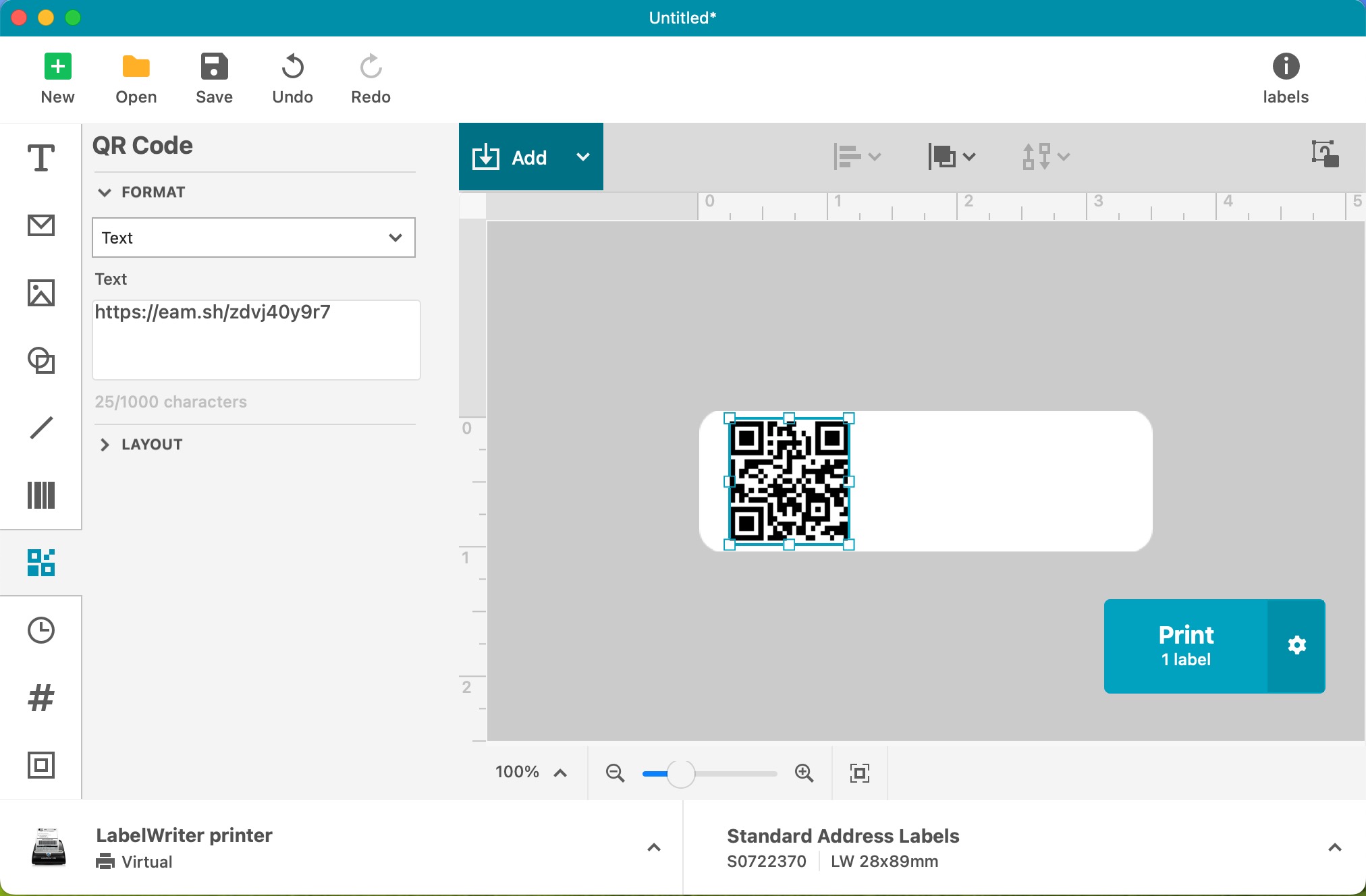
DYMO Connect Software Version 1.4.2.69 (1.4.2.69)
The team tried multiple solutions:
- Testing different cameras (iMac FaceTime camera, Logitech C930, IPEVO V4K)
- Adjusting exposure and focus settings
- Experimenting with different QR code format settings in DYMO Connect
Despite these efforts, Shelf's internal scanner wasn't recognizing their custom-generated codes, threatening to disrupt their efficient equipment check-out process just as the semester was beginning.
The Technical Deep Dive
The KCAI team's approach to troubleshooting was methodical and detailed:
- They extracted QR IDs from Shelf's system
- Used spreadsheet functions to format the URLs correctly
- Created a CSV file for DYMO Connect
- Generated test labels that worked with regular QR code scanners
- Validated the URLs were pointing to the correct assets
This thorough analysis helped Shelf's development team understand exactly where the disconnect was occurring between their custom-generated codes and our scanning system.
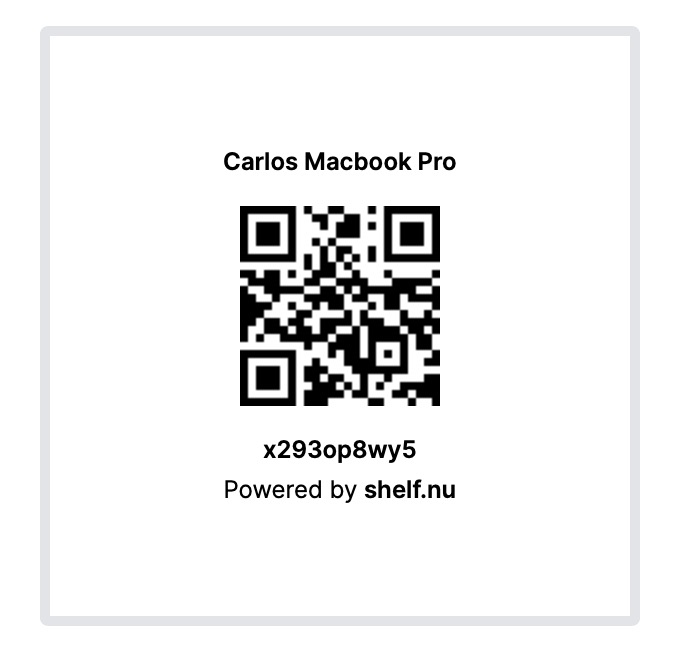
Each asset you create in Shelf creates its own QR code and QR ID.
Shelf's Solution

Instead of asking KCAI to abandon their existing workflow and hardware investment, we took a different approach: we enhanced our technology. Our development team updated Shelf's QR code scanning capabilities to better accommodate externally generated codes, including those from DYMO's label printing software.
This solution delivered multiple benefits:
- Preserved KCAI's investment in DYMO hardware
- Maintained their efficient labeling workflow
- Enabled batch scanning for equipment check-outs
- Required zero additional investment from KCAI
The Broader Impact
While this enhancement was initially driven by KCAI's needs, its impact extends much further. Any organization using external QR code generation systems can now seamlessly integrate with Shelf. This includes institutions that:
- Use DYMO or other label printing systems
- Generate QR codes through various software solutions
- Need to maintain existing labeling workflows
- Want to preserve hardware investments while upgrading their asset management
Technical Implementation Guide
For organizations looking to generate their own QR codes for use with Shelf:
QR Code Format:
URL format: https://eam.sh/[QR ID]
Works with standard QR code generation software
Hardware Compatibility:
Functions across various camera types
Compatible with major label printers
Works in different scanning environments
Best Practices:
Test codes with your phone camera AND shelf's built in scanner for validation
Ensure proper CSV formatting for batch generation
Maintain consistent URL structure
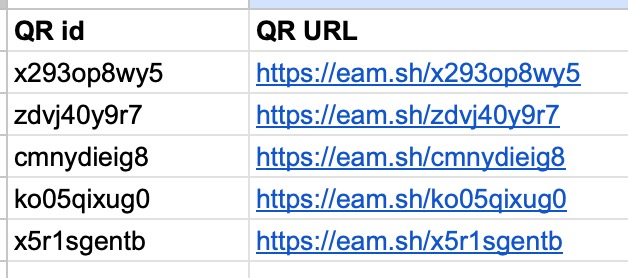
If your QR codes go to https://eam.sh/QRID they will resolve to our servers and we will be able to route them for you.
Looking Forward
The successful resolution of KCAI's challenge exemplifies Shelf's commitment to customer success.
"When institutions trust us with their transition to Shelf, we're committed to making that transition as smooth as possible," "Sometimes that means adapting our technology to work with their existing systems rather than the other way around." - Carlos Virreira (CEO) Shelf.nu
For Institutions Considering Migration
If you're considering migrating to a new asset management system, this case study highlights several key considerations:
- Evaluate how new systems will work with existing hardware
- Consider workflow preservation as part of migration planning
- Look for technology partners willing to adapt to your needs
- Factor in the total cost of migration, including potential hardware replacement
Acknowledgment
A special thank you to Steve Gardels and the KCAI Media Center team for their trust in Shelf and their detailed feedback that helped improve our platform for everyone. Their experience has not only enhanced their own operations but has also made Shelf more flexible and adaptable for all users.

Are you considering migrating to a new asset management system? Contact us to discuss how we can make your transition smooth while preserving your existing investments.
Ready to organize your assets?
Join thousands of teams who trust Shelf to manage their physical assets. Free forever, or try the Team plan free for 7 days.
Out in the field? Shelf Companion is free on iPhone & Android.
More from the blog
Ovoko: Pioneering a Sustainable Future in Automotive Recycling with Shelf
If you are still using excel for assets management, you are missing out a lot by not choosing Shelf
Asset Panda Pricing in 2026: Plans, Minimums and What It Really Costs
Asset Panda no longer lists prices on its website. Here is every figure we could source and date: its last public price list, third-party reports, seat minimums, extra users, onboarding, and worked totals for three real team shapes.
Asset Register Template (Excel) and Equipment Inventory List
A free fixed asset register template in Excel with straight-line depreciation formulas, plus an equipment inventory list in Excel and CSV that imports into Shelf. What a register must contain, how to fill it in a day, and when a spreadsheet stops being enough.