

From me to we. Shelf for teams is now available. Explore what you can do with it here.


Introducing Shelf's New Team Management Capabilities
We're excited to announce a significant milestone for Shelf, your trusted asset management platform. After much anticipation, we've rolled out a range of powerful team management capabilities, aimed at enhancing your asset management experience. In this blog post, we'll explore what's new and what these exciting updates mean for you.
Shared Workspaces: Collaborate Seamlessly
The cornerstone of this upgrade is the introduction of shared workspaces. These workspaces allow for collaborative asset database management, making it easier than ever for teams to work together efficiently. Here's what you need to know:
- Co-Administrator Access: The magic happens when you invite co-administrators to join your workspace. Co-admins have the same level of permissions as the account owner, making it a truly collaborative effort.
- Account Owner's Authority: The account owner, the one who initiated the upgrade, holds the ultimate authority. They can add or remove other admins from the workspace, ensuring centralized control.
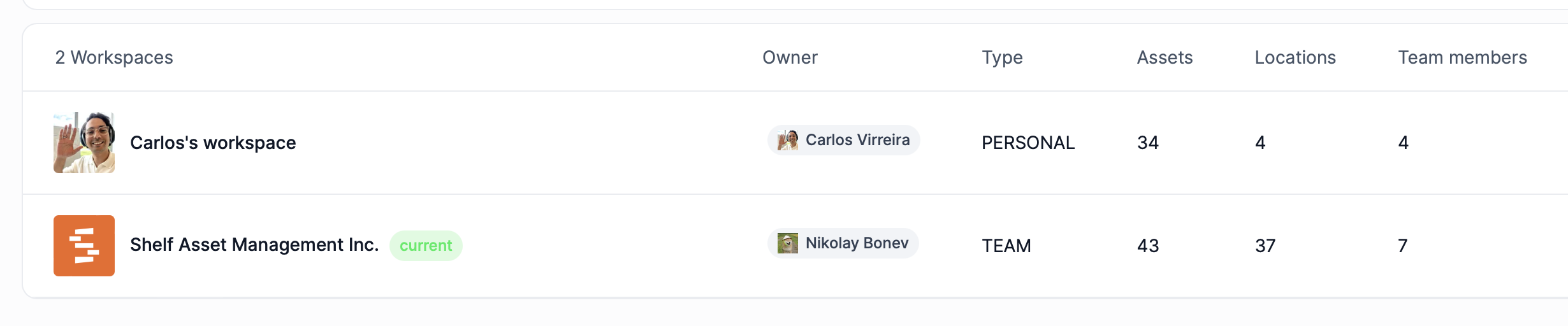
On settings you will find a new tab called 'Workspaces' - there you will see the workspaces you own and are part of (Only the account owner of a shared workspace can change its name and type).
New Terminology: Understand the Roles
To make it easier for users to navigate the system, we've introduced some new terms:
- Personal Workspace: Every Shelf user gets a personal workspace. It's the perfect place to track assets for personal collections or databases that don't require collaboration. You can even add "Non-registered team members" to assign custody of assets to, though these users can't be invited to your personal workspace.
- Account Owner: When a Shelf user upgrades their account to 'Team,' they gain the ability to create a team workspace. This workspace can invite an unlimited number of co-admins to manage the database. The concept of "Non-Registered (Non-account having) team members" still exists, offering flexibility.
- Admin (Co-admin): Admins are users with login credentials and high-level permissions. They can add, delete, modify, and adjust assets with ease, all under the watchful eye of the account owner.
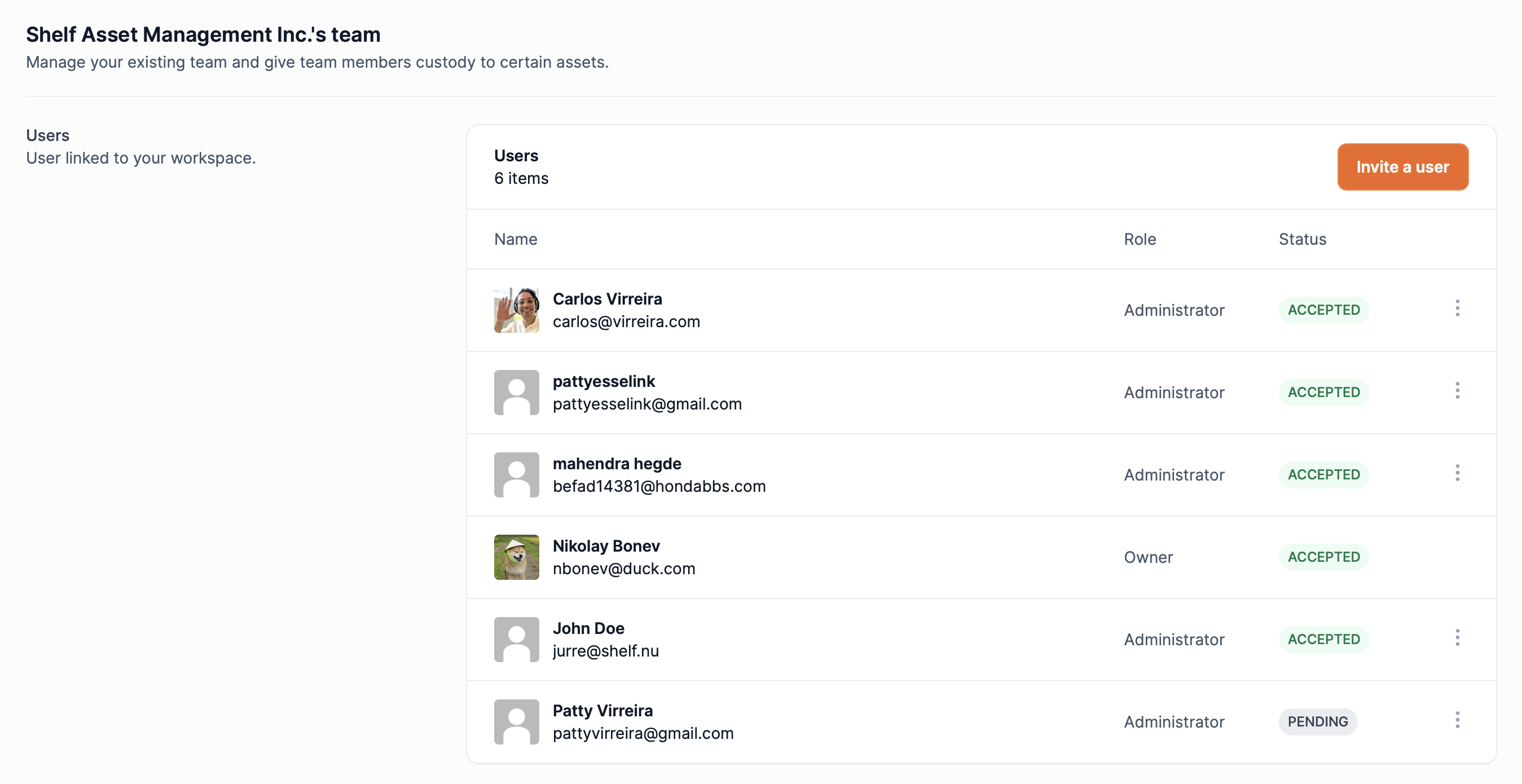
See the users linked to your account with administrator access. Send invites, and revoke access. All within 1 UI.
Migrating from Plus to Team
If you already had a plus workspace and want to upgrade to team. What you have to do is:
- Go to settings
- Subscriptions
- Update your account to team
Once you have upgraded your subscription to team. You will be able to create a new team workspace from the workspace selector dropdown.
- From your personal workspace, use the EXPORT function
- On your new workspace use the IMPORT function
- Make sure to pick IMPORT FROM BACKUP
Once you're assets are updated you can continue using shelf.
NOTE: Images unfortunately do not transfer with the backup. If you need help, get in touch.
What's Next for Shelf?
With these foundational team collaboration features in place, we're setting our sights on some exciting new frontiers. Here's a sneak peek at what's on our roadmap:
- Equipment Booking and Reservations: We're working on features that will allow users to book and reserve shared organizational assets, making resource management a breeze.
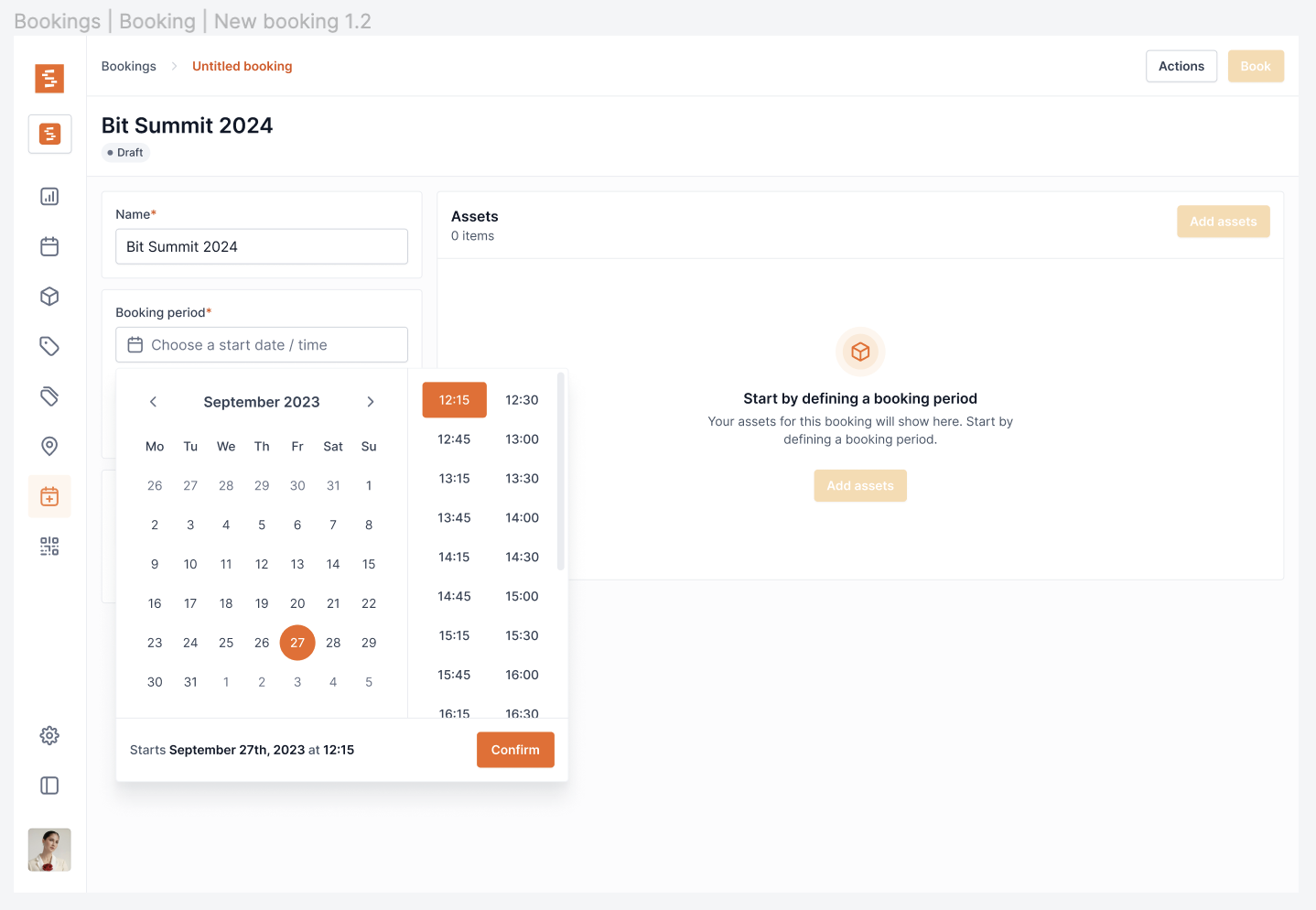
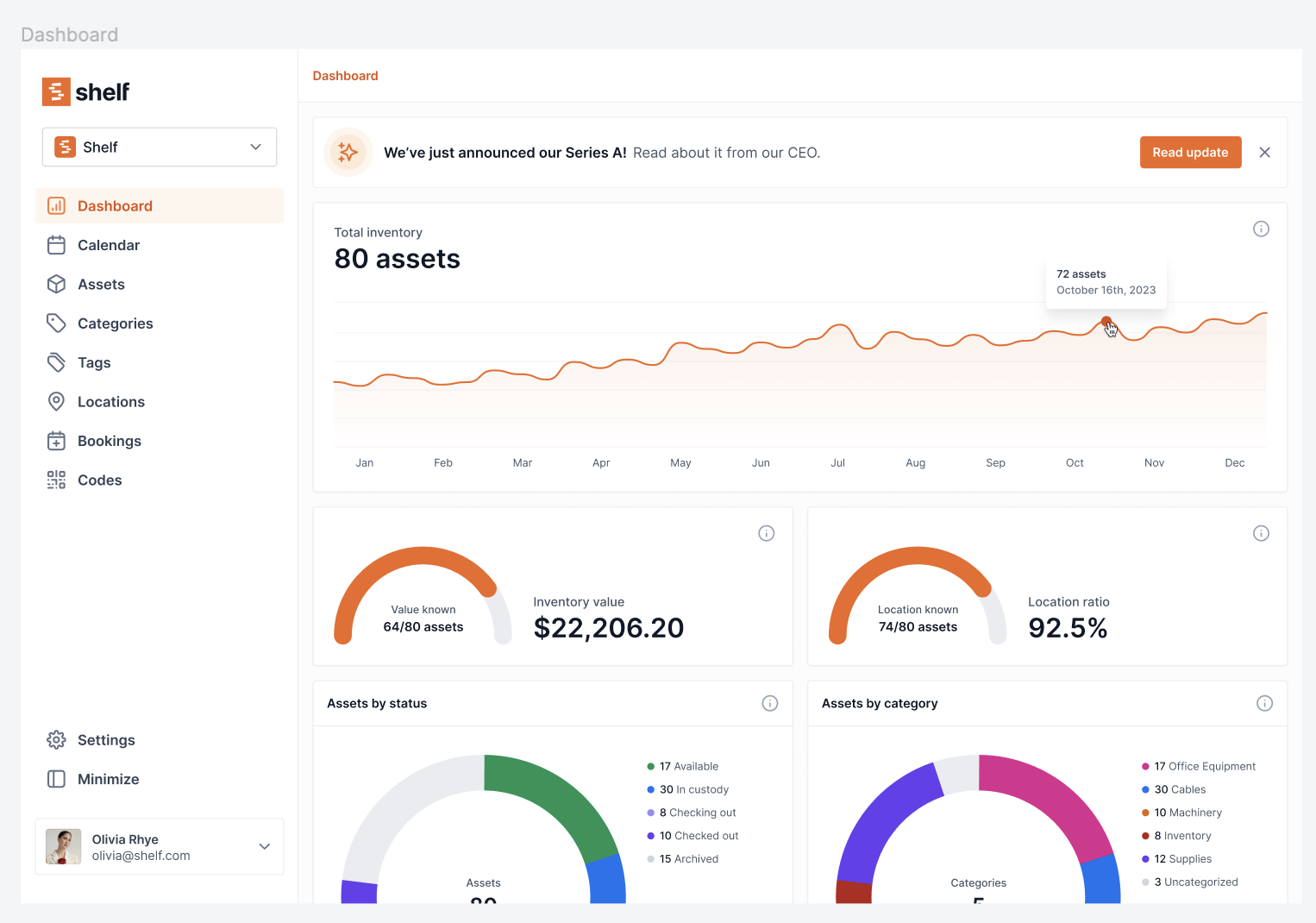
- Insights into Asset Utilization: We're committed to providing you with meaningful insights into how your assets are being utilized, helping you make data-driven decisions.
We're Just Getting Started
This is an exciting time for Shelf and, most importantly, for our customers. The journey has just begun, and we can't wait to see how Shelf evolves to meet your ever-growing needs. Your feedback is invaluable to us, and it's what drives our continuous improvement.
Here's to the next chapter! We're thrilled to be part of your asset management journey, and we look forward to what the future holds for Shelf.
Stay tuned for more updates, and thank you for being a part of our journey.
Ready to organize your assets?
Join thousands of teams who trust Shelf to manage their physical assets. Free forever, or try the Team plan free for 7 days.
Out in the field? Shelf Companion is free on iPhone & Android.
More from the blog
Introducing One-Time Passwords!
Shelf is transitioning from Magic Links to One-Time password.

Bookings: Release Status
Bookings has shipped and is generally available on Shelf Team plans. Here is what it does today.

Releasing teams (Nov 1, 2023)
We're releasing teams access today.