

Bookings
Conflict-free equipment reservations that keep teams coordinated and ensure shared resources are available when needed.
Trusted by innovative teams


































































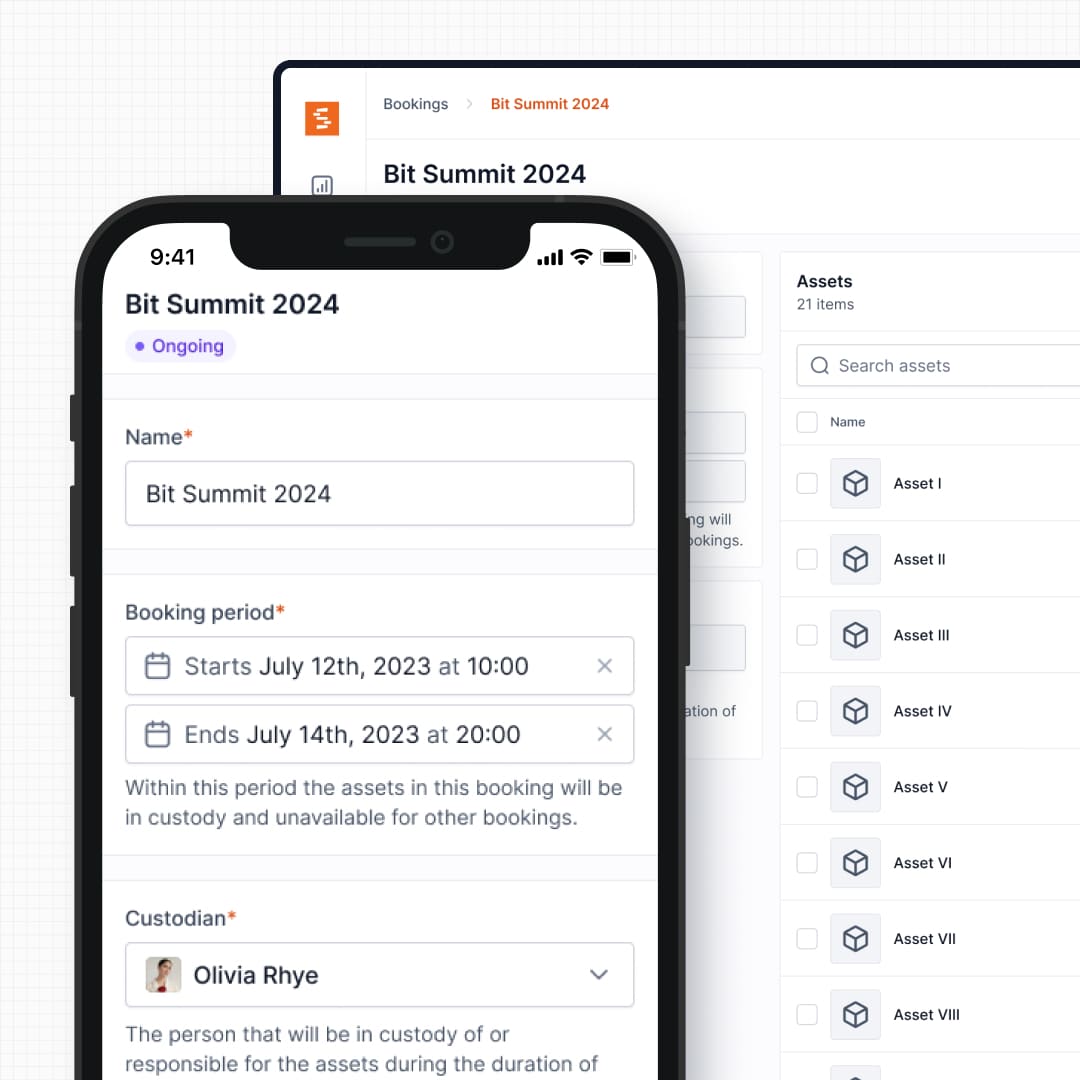
Bookings let teams reserve equipment ahead of time with conflict-free scheduling. Whether you're managing cameras, laptops, tools, or shared resources, Shelf ensures availability is clear and coordination is seamless.
What Bookings Solve
Shared equipment creates coordination challenges:
- Double bookings: Multiple people reserve the same item for the same time without realizing it.
- Unclear availability: No one knows what's free, what's out, or when it's coming back.
- Manual calendars: Spreadsheets and paper logs drift out of sync and fail under pressure.
- Resource conflicts: Teams compete for the same gear, leading to delays and frustration.
- Poor coordination across departments: Different groups operate in silos without shared visibility.
Shelf's booking system solves these problems with real-time availability, automatic conflict prevention, and unified workflows that connect scheduling to actual handoffs.
How Bookings Work in Shelf
Real-Time Availability
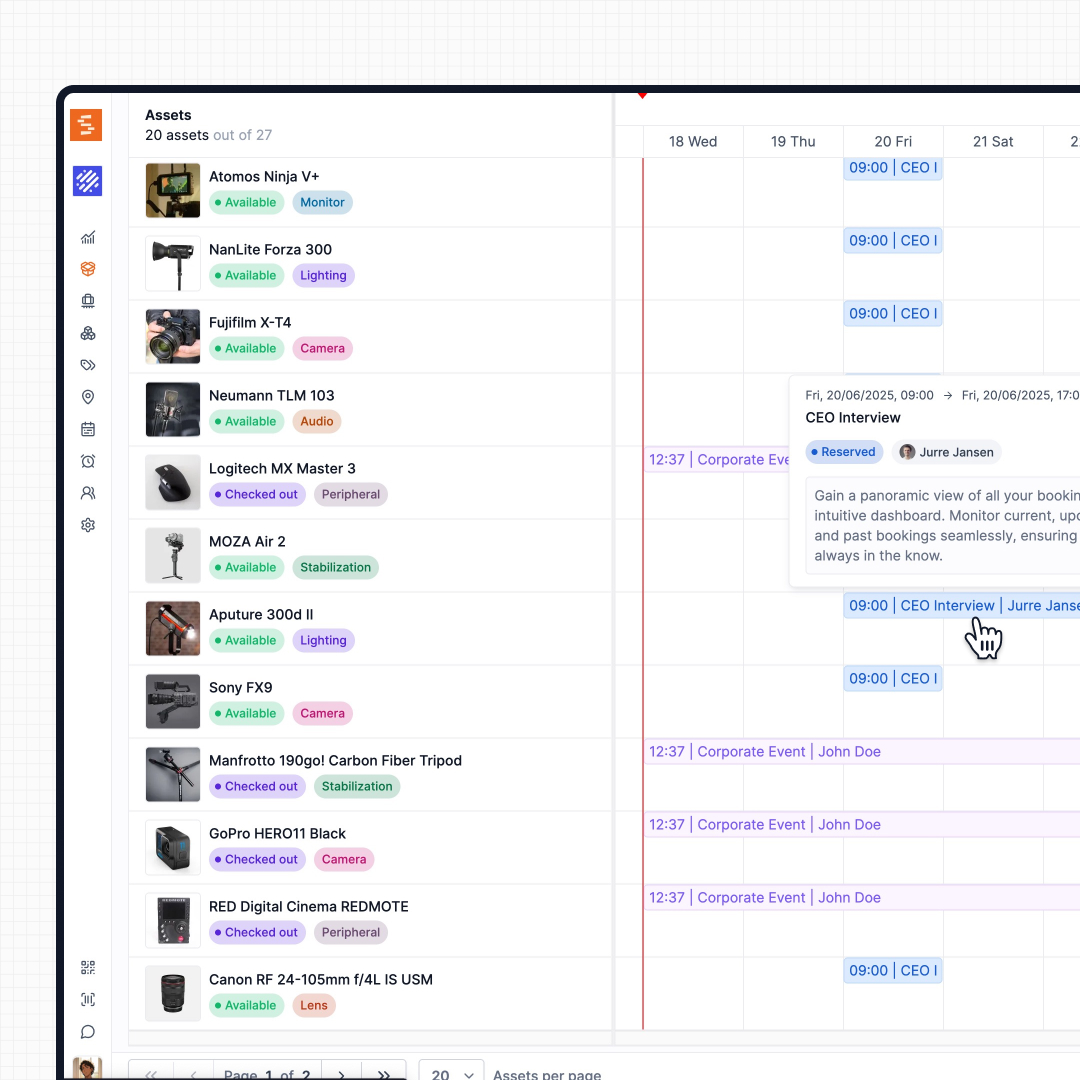
The availability view shows exactly when each item is free. Users see open time slots at a glance—no guessing, no calling the equipment room, no spreadsheet lookups.
It keeps up with returns that happen in pieces. When one item comes back early from a booking that is still out, its bar stops at the check-in and turns green, so the calendar shows it free again while the rest of the booking stays marked as out. Quantity-tracked stock turns green once every booked unit is back.
See: Availability View: Complete Guide
Simple Reservation Workflow
Booking takes seconds:
- Choose the item you need
- Select an available time slot
- Confirm the reservation
That's it. The system handles the rest.
Automatic Conflict Prevention
Shelf validates every booking in real time. For an individually tracked item, a taken time slot simply can't be booked: conflicts are prevented before they happen—not discovered on the morning of a shoot. Fabel Film eliminated double bookings with Shelf.
Pooled stock gets the same guarantee, counted rather than matched: Shelf checks how many units are free on your dates and won't let a booking take units that aren't there. See Quantity-Tracked Reservations below.
Unified with Custody
Bookings and custody work together. When a reservation starts, custody transfers automatically. When equipment is returned, the system updates instantly. Scheduling and responsibility live in the same workflow.
See: Custody
Kit-Aware Reservations
Users can reserve individual items or entire kits. Book a camera kit, and all its accessories come along. Shelf tracks what belongs together and keeps kits complete.
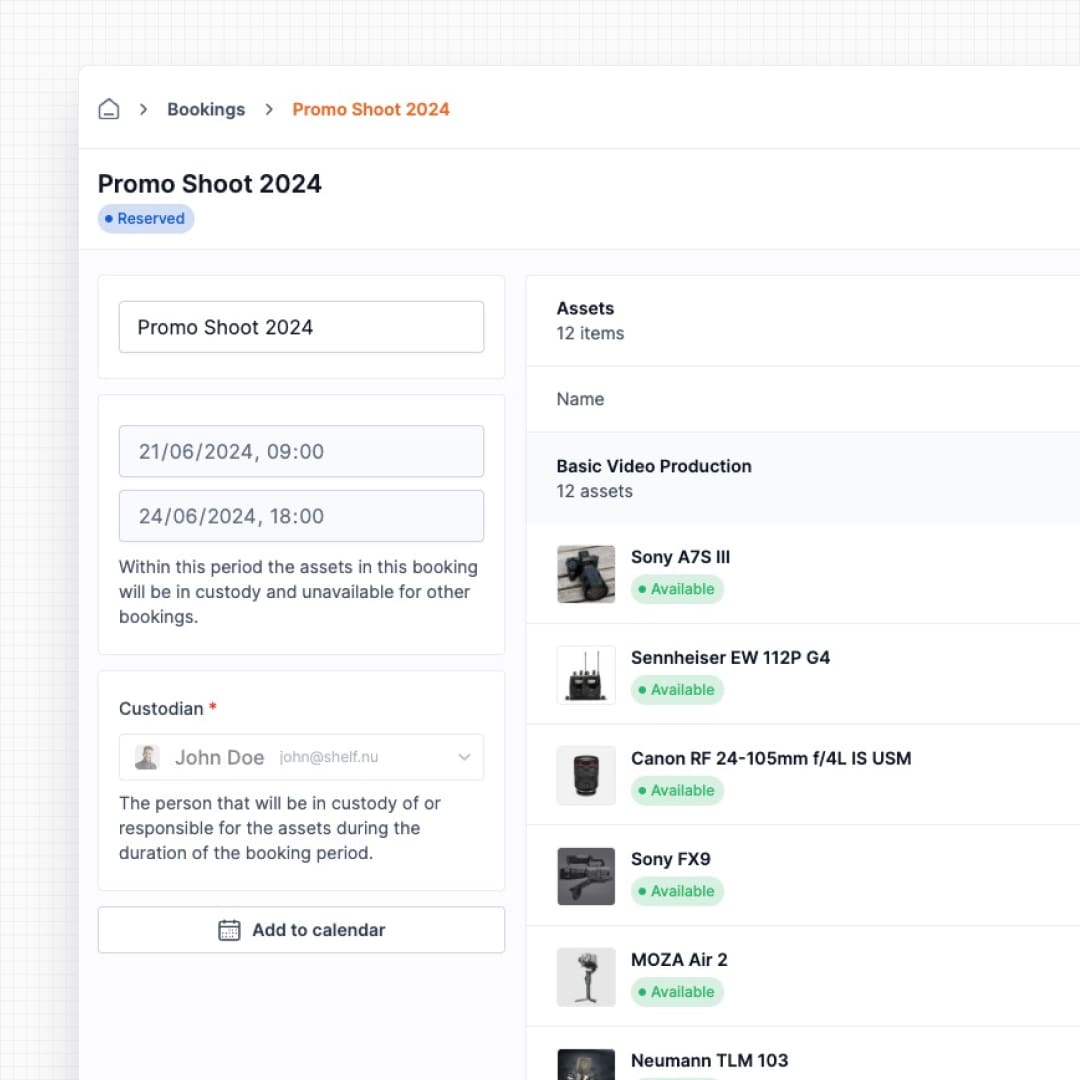
See: Kits
Book by Model
Fleets of identical gear can be reserved without picking exact units up front. Group units under an Asset Model and reserve by model: a booking for "4x HDMI cable" is fulfilled at pickup by whichever 4 physical units you hand out. Any unit of the model fulfils the request, every unit keeps its own record and QR label, and the booking records exactly which units went out. Available on Team plans.
You can start a model booking from the asset index too. The Asset model view lists each model with how many units match your filters and where they are; tick the models you need, choose Book selection, and either create a new booking that reserves them or add them to an open one, with the free count for that booking's dates shown beside each model. See Asset Model View.
Reservations are settled by putting a matching asset on the booking, whichever way you do it: scanning at pickup, picking it in Manage assets, adding it in bulk from the asset index, adding a kit that carries a unit of the reserved model, or scanning in the Companion app. The reservation ticks down the moment a matching unit lands on the booking, so a team without a scanner to hand is never stuck with a reservation it cannot discharge. Outstanding reservations sit in their own Unassigned model reservations section above the assets table, and each row says exactly what is left, for example "1 of 2 units still to assign".
A unit inside a kit answers a reservation exactly as a loose one does, and each physical unit answers at most one reserved unit per booking. Rows that answered one carry a blue Fulfils model name chip, so the unit on the row explains the count that moved above it. The Fulfil reservations & check out scanner takes kit scans as well, and each kit row states how many reserved units it settles.
The whole loop also runs on the Shelf Companion app for iPhone and Android: reserve or adjust a model reservation from the booking's Models tab, then open the fulfil scanner from Scan to assign & check out, watch the assigned counter tick as you scan the physical units, and assign plus check out in one submit.
A missing unit does not hold the booking back. A check-out needs at least one item to go out and nothing more. Reserve four projectors, find three, and the booking goes out with the three: Shelf names the unassigned unit in a confirmation before it acts, and the reservation stays open on the ongoing booking to be scanned in later. Reservations can also be adjusted or released for as long as the booking is live — Draft, Reserved, Ongoing or Overdue — so a unit that was damaged or never collected can be handed back to the pool mid-booking instead of staying reserved against every other booking in that window. A reservation never drops below the units already assigned to it, so the record of what actually went out stays intact.
See: Asset Models · How to Choose a Tracking Method
Quantity-Tracked Reservations
For assets you track by quantity, reserve a number of units instead of a specific item, and adjust that number as needs change. Shelf counts what's free on your dates and turns away anything the pool can't cover, so a shared stock of gloves or cable or sandbags is as safe to book as a camera.
Counting by date is what makes shared stock usable: gear that comes back before your booking starts is yours to book. Three crews can each take 7 of the same 10 sandbags in three different weeks, and the fourth crew that wants 8 in a week already spoken for is told so up front. Available on Team plans.
When the gear comes back, check-in asks how many units returned in what condition: returnable stock splits across returned, lost, and damaged, and consumables across consumed, lost, and damaged. The same split is available in the Shelf Companion app, so a partial return can be reconciled on the floor rather than remembered until someone is back at a desk.
See: Consumables Tracking
Flexible, Progressive Checkout and Returns
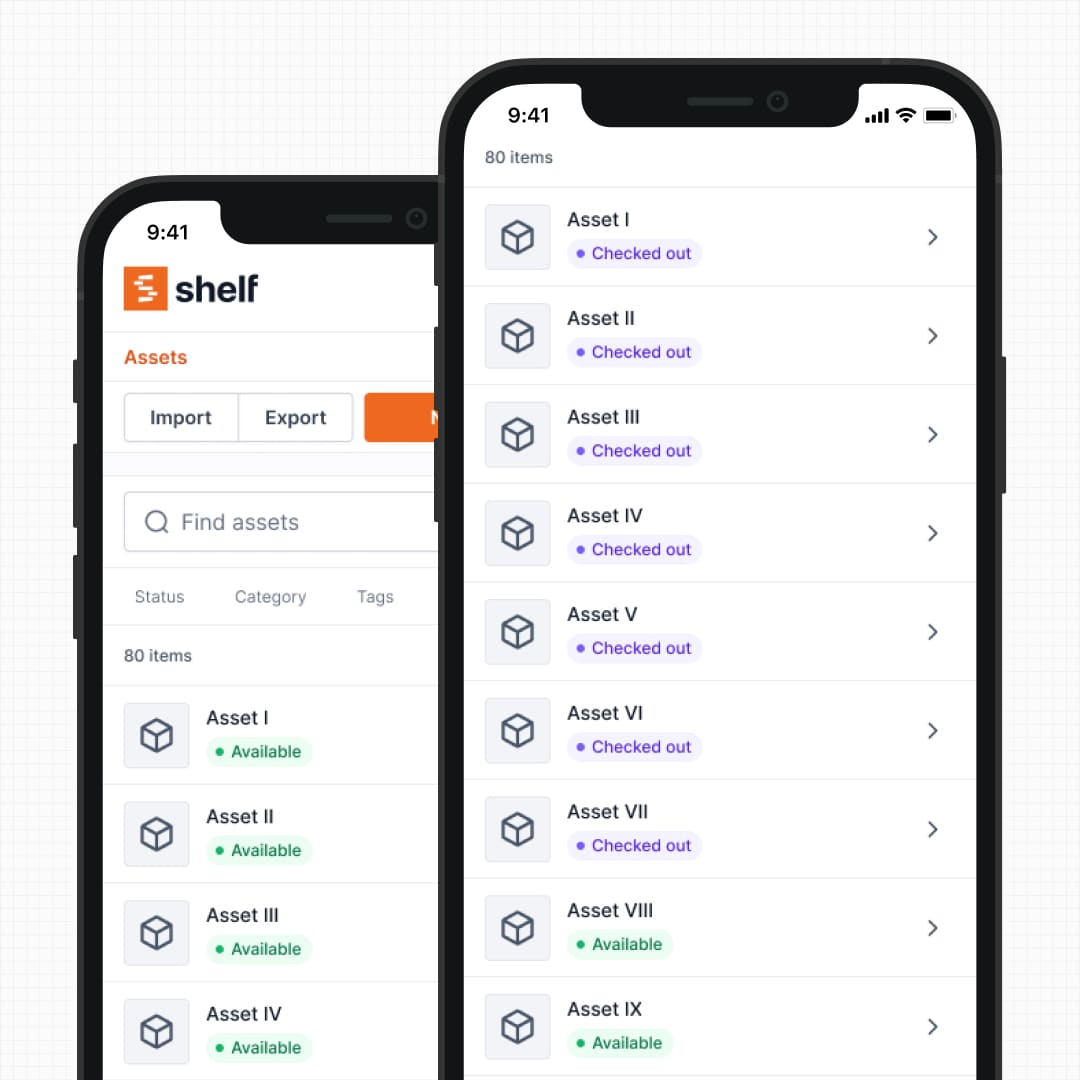
Real handoffs are rarely all-or-nothing. Shelf lets you check a booking's gear out as it's picked up — scan each item at the counter, or select a subset from the Actions menu — instead of forcing one all-at-once checkout. The same two styles work in the Shelf Companion app: Scan to Check Out on the booking's screen, or Select to Check Out to tick assets and whole kits. The booking goes live on the first item, and a segmented Booked / Partial / Fully out / Returned lifecycle bar shows exactly what's gone out and what's still waiting. Returns work the same way: check items back in one at a time or in bulk, even when not everything comes back together.
When gear comes back, print a check-in receipt from the booking's Actions menu. It states, item by item, whether each one was returned, is still out, or never left, when it was checked in and who received it. A totals ledger counts units returned, consumed, lost, damaged and still out, and signature lines at the foot cover the hand-back. It works on a partial return too, and it prints no asset values, so it can go to a client.
See: Progressive Checkout, Partial Check-ins, and Print a Check-in Receipt
Bookings in the Calendar You Already Use
Nobody wants to check one more app before planning their day. Subscribe once and your confirmed bookings, from the last month through the year ahead, appear in Google Calendar, Outlook, or Apple Calendar, right next to meetings, classes, and shoots, and stay up to date automatically as bookings are added, moved, or cancelled.
Each event shows the assets on the booking, the custodian where your role can see custody, and a link straight back to it in Shelf, and it carries a reminder the day before the equipment is due back. Administrators can publish one shared calendar for the whole team; self-service and base members get a feed of just their own bookings. Set it up from the Calendar page with Subscribe. Available on Team and Enterprise plans.
See: Subscribe Your Calendar to Shelf Bookings · Calendar
Configurable Notification Recipients
Admins control exactly who receives booking email notifications — without flooding everyone's inbox.
At the workspace level, admins configure default notification rules in Settings > Bookings: choose whether booking creators are automatically notified, whether all admins receive new booking broadcasts, and add an "always notify" list for people who need full visibility across every booking. On individual bookings, anyone can add per-booking notification recipients for extra stakeholders on a specific checkout.
The custodian always receives all notifications. Everyone else is configurable.
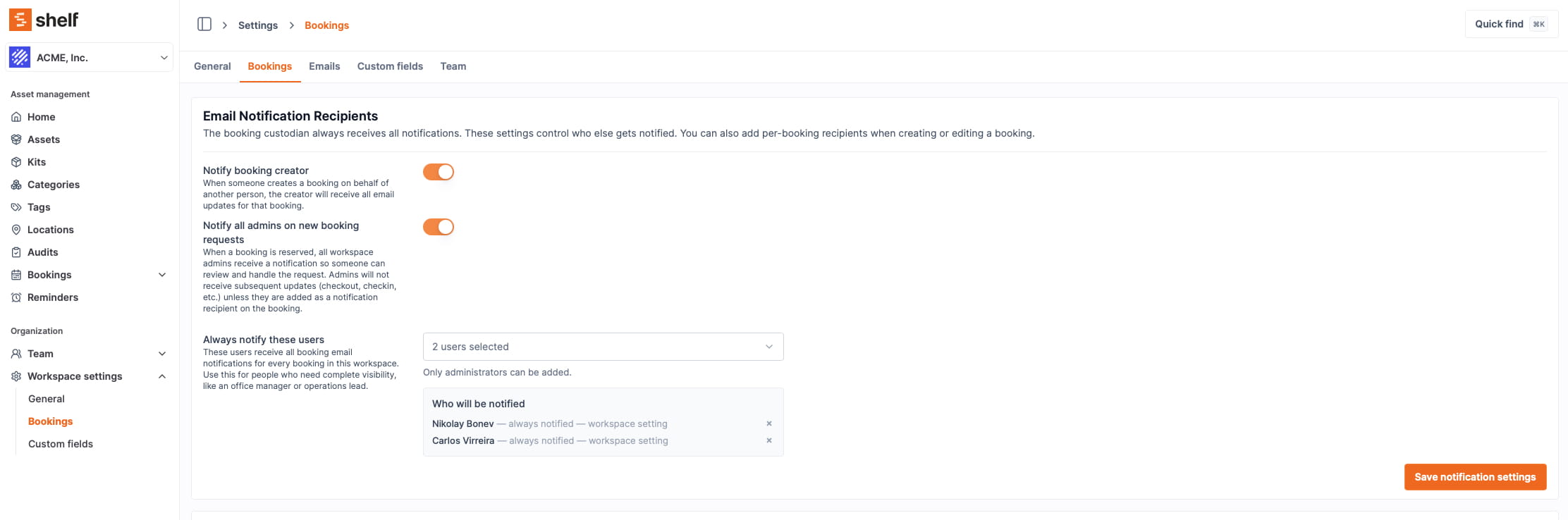
See: Booking Notification Settings
Benefits of Shelf Bookings
- Eliminates scheduling conflicts with automatic validation
- Reduces admin overhead for equipment managers
- Speeds up student and staff workflows with self-service booking
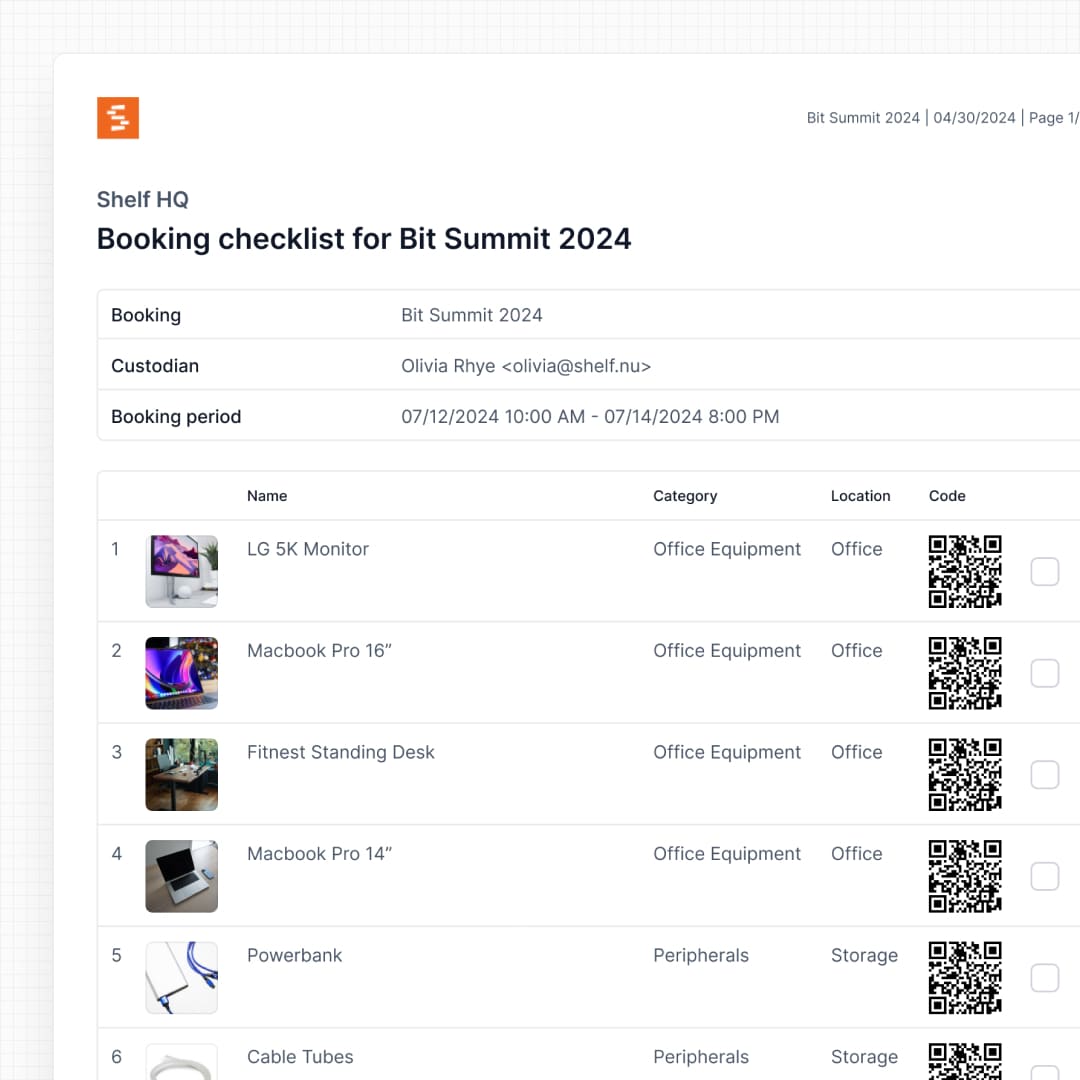
- Provides a clear audit trail of who reserved what and when
- Enables predictable resource planning across teams
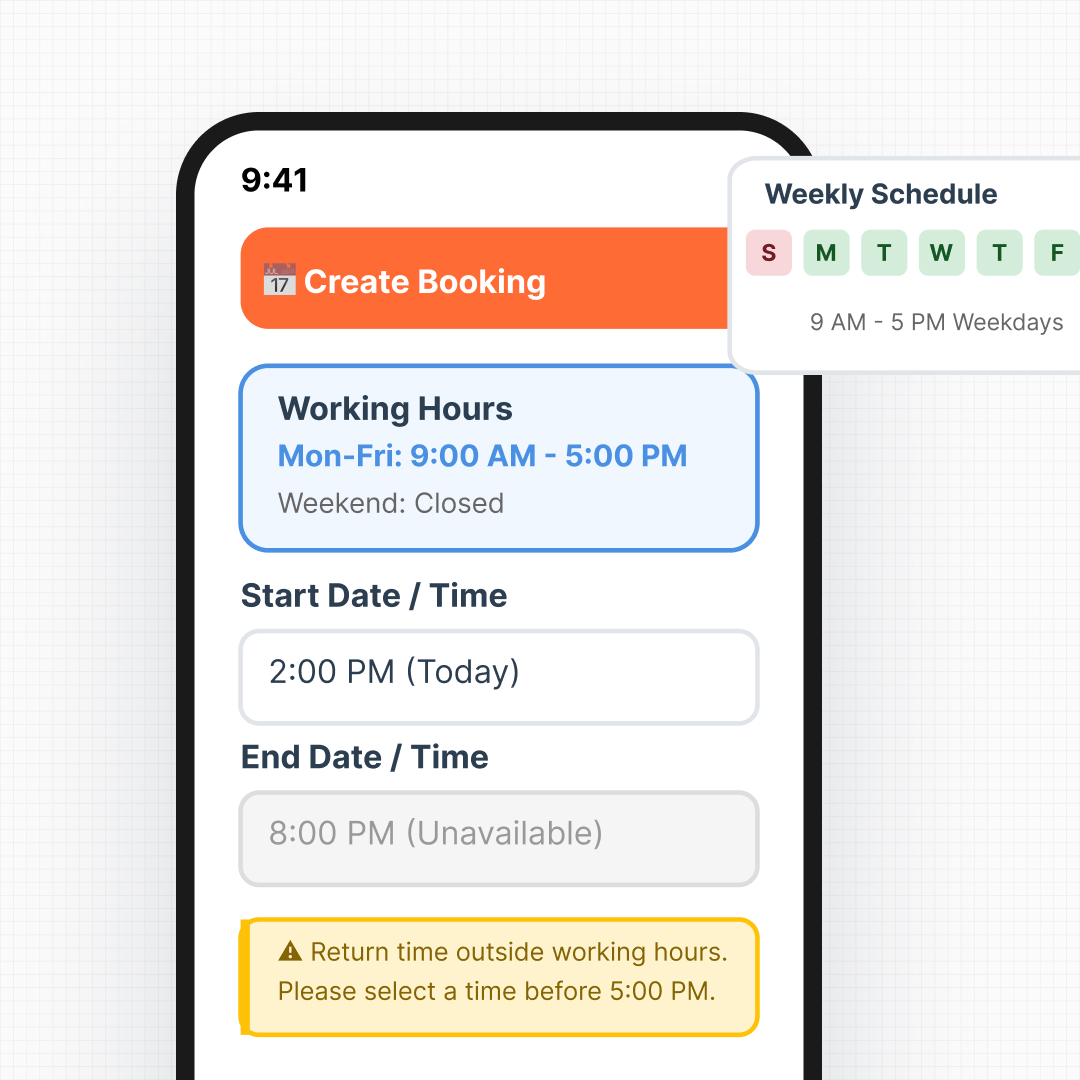
- Works on any device with a mobile-friendly interface
- Scales across departments with workspace separation
- Keeps the right people informed with granular notification controls — no inbox flooding
- Shows up where people plan with a live booking feed in Google Calendar, Outlook, or Apple Calendar
Common Use Cases
- Education equipment rooms: Students reserve cameras, laptops, and lab gear for projects.
- Film and media programs: Schedule production equipment for shoots, classes, and events.
- Corporate shared equipment pools: Manage loaner laptops, meeting room gear, and training resources.
- AV teams: Coordinate projectors, microphones, and video equipment across events.
- Field teams: Schedule tools and specialized equipment for job sites.
The free Shelf Companion app on the App Store and Google Play lets you create, edit, and reserve bookings and check booked equipment in or out — right from the floor. Read the month as a calendar or the queue as a list, tap a day to see what is booked on it and start a booking there, scan a booking's gear out one item at a time as it is handed over, search a long booking by name, kit or location, fulfil reserved models by scanning the actual units, and check quantity-tracked stock back in with the same returned, lost, damaged, or consumed split you get on the web. The app itself is free; booking features are part of your Shelf plan.
Related Features
Ready to organize your assets?
Join thousands of teams who trust Shelf to manage their physical assets. Free forever, or try the Team plan free for 7 days.
Out in the field? Shelf Companion is free on iPhone & Android.