

Calendar
Visual booking calendar with month, week, and day views, plus a live feed that puts your bookings in Google Calendar, Outlook, or Apple Calendar.
Trusted by innovative teams



































































The calendar gives teams a visual overview of every reservation, custody event, and availability gap across their entire inventory. Instead of digging through lists or asking colleagues, anyone can open the calendar and see exactly what is booked, what is available, and what is overdue.
The calendar is the visual layer of Shelf's equipment scheduling and reservation system, which handles booking, conflict prevention, and custody in one place.
It also reaches the calendar your team already lives in. Subscribe once, and your confirmed bookings show up in Google Calendar, Outlook, or Apple Calendar, kept up to date automatically, with a reminder the day before equipment is due back. See Your Bookings in Google Calendar, Outlook, and Apple Calendar below.
What the Calendar Solves
Scheduling shared equipment without a visual timeline creates recurring problems:
- Scheduling conflicts: Teams unknowingly book the same asset for overlapping time slots because no one has a clear picture of what is already reserved.
- Lack of visibility: Managers cannot see at a glance which items are in use, which are sitting idle, and which are overdue for return.
- Coordination gaps: Departments working in silos create bottlenecks when they compete for the same pool of resources without a shared view.
- Missed returns: Without a visual indicator of overdue items, late returns go unnoticed until someone else needs the equipment.
Shelf's calendar view solves each of these by putting availability, reservations, and status into a single visual timeline that the whole team can access.
How the Calendar Works in Shelf
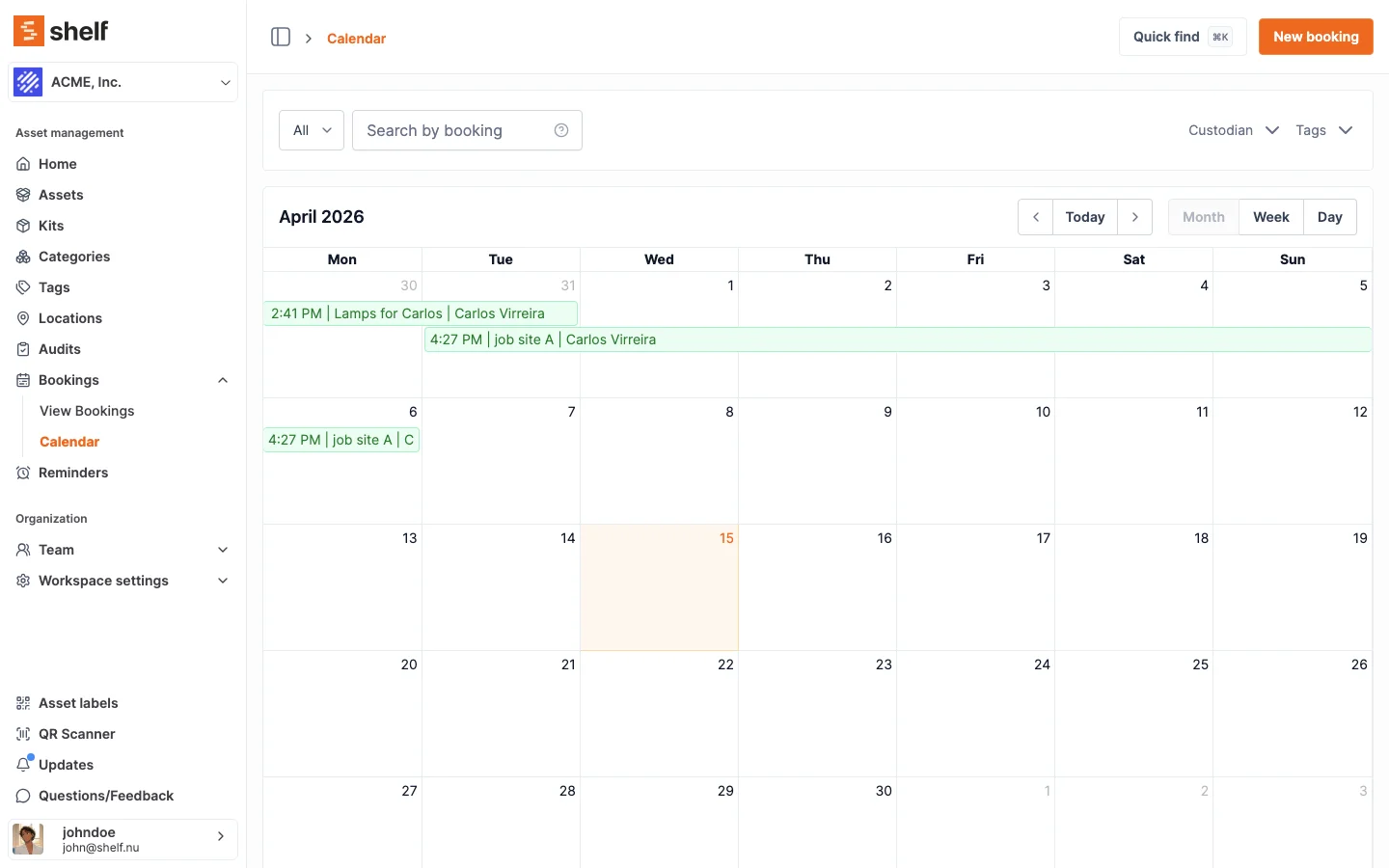
Month, Week, and Day Views
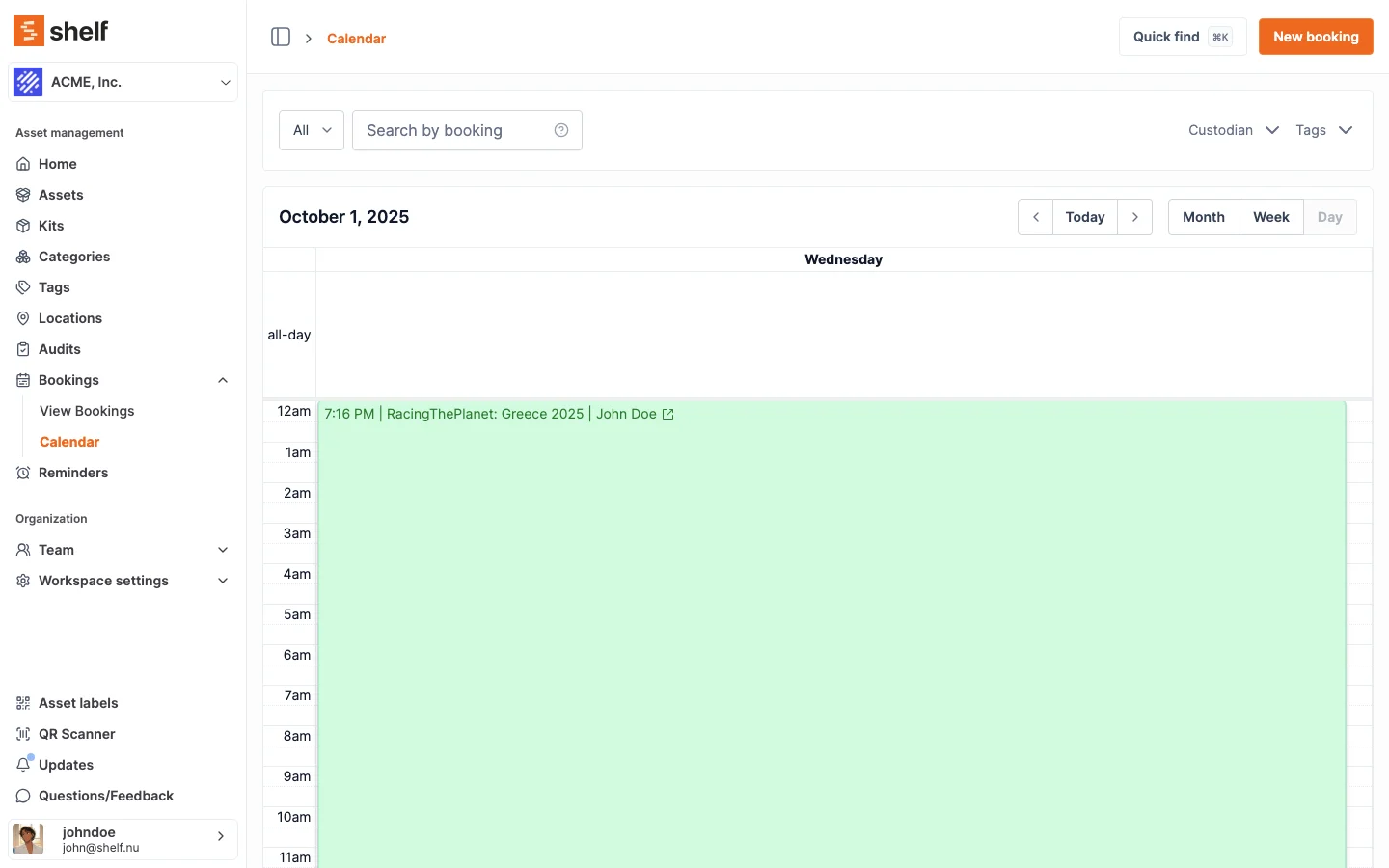
Switch between month, week, and day views depending on the level of detail you need. The month view works well for long-range planning. The week and day views are ideal for daily coordination and last-minute scheduling.
The calendar reads in each person's own settings. Weeks start on the day you chose (Monday, Sunday, or Saturday), times use your 12 or 24-hour preference, and bookings sit on your time zone's clock, so a distributed team looking at the same calendar each sees it laid out the way they expect. Set yours under Account settings → General.
Color-Coded Status
Each booking is color-coded to reflect its current status, so you can scan the calendar and understand the state of every reservation without opening one:
| Status | Colour |
|---|---|
| Reserved | Blue |
| Ongoing (checked out) | Purple |
| Overdue | Red |
| Complete | Green |
| Draft, Cancelled, Archived | Grey |
These are the same colours a booking wears everywhere else in Shelf: on the bookings list, on the booking itself, and on an asset's own bookings. A booking that reads as a problem in one view reads as a problem in all of them.
Overdue Highlighting
Items that have not been returned by their scheduled end time turn red automatically. Equipment managers can spot overdue assets in seconds and follow up before the delay cascades into the next reservation.
Integrated with Bookings and Custody
The calendar is not a standalone feature. It draws directly from the bookings and custody systems, so every reservation and handoff appears in real time. When a booking is created or a custody transfer happens, the calendar updates instantly.
Your Bookings in Google Calendar, Outlook, and Apple Calendar
Most people plan their week in Outlook or Google Calendar, not in an equipment system. So Shelf brings the bookings to them. Each member can subscribe their everyday calendar to a live feed of their Shelf bookings, and from then on reservations sit right next to their meetings, classes, and shoots.
- Set it up once. Open the Calendar page and click Subscribe (or go to Account Settings → Calendars), generate your secret link, and add it to Google Calendar, Outlook, or Apple Calendar.
- Stays up to date on its own. New, moved, and cancelled bookings come through on your calendar app's regular refresh. Nothing to re-export.
- Everything you need on the event. Each booking shows its name and asset count, the full list of assets, the custodian where your role can see custody, and a direct link back to the booking in Shelf. The feed covers confirmed bookings from the last month through the year ahead.
- A reminder before gear is due back. Every event carries a reminder the day before the booking ends, so returns show up on your phone without another email.
- A shared team calendar, if you want one. The feed mirrors what each member can already see in Shelf. An administrator who can view all bookings can publish one calendar for the whole team, while self-service and base members get a feed of just their own reservations.
- Private by default. The link is a secret you can regenerate or revoke at any time. The feed is one-way and read-only, so nothing in your calendar app can change a booking.
Available on Team and Enterprise plans.
See: Subscribe Your Calendar to Shelf Bookings
Export a Single Booking
Need just one reservation in a calendar, or want to send it to someone outside Shelf? Any booking that is not archived can be exported as an .ics file and imported into Google Calendar, Apple Calendar, Outlook, or any other RFC-compliant calendar application. Open the booking and click Add to calendar to download the event file. The exported event includes the booking dates and a direct link back to the booking in Shelf.
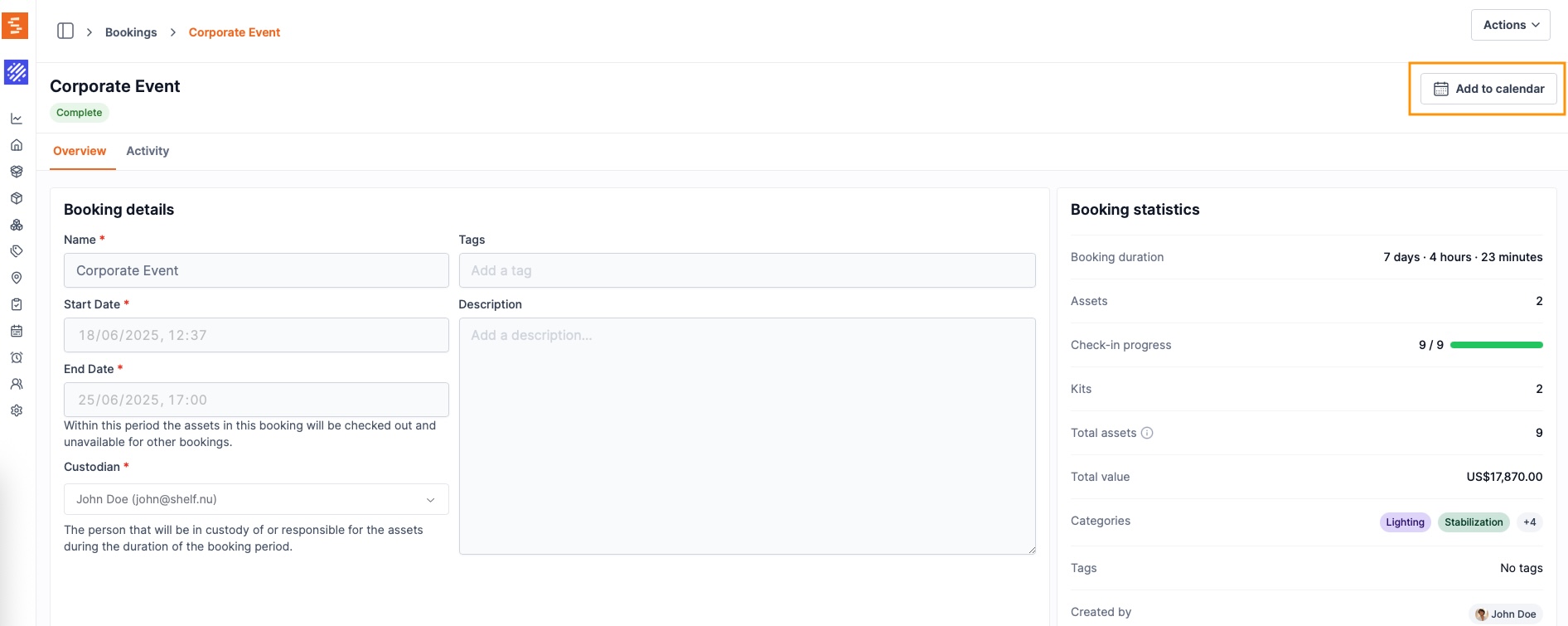
This lets custodians keep their personal calendars aligned with their reservations without manual entry, and allows managers to share booking timelines with people outside of Shelf.
Benefits
- Prevent double bookings with a clear visual timeline of all reservations
- Maximize asset utilization by identifying idle equipment and open time slots
- Improve team coordination with a shared, always-current view of availability
- Catch overdue returns early with automatic status highlighting
- Reduce admin overhead by eliminating back-and-forth about what is free
- See bookings where you already plan with a live feed to Google Calendar, Outlook, or Apple Calendar, including a reminder before equipment is due back
- Share a single booking with anyone by exporting it as an
.icsfile
Common Use Cases
- AV equipment rooms: Coordinators see which cameras, projectors, and microphones are booked across the week and plan around availability.
- Shared vehicles: Fleet managers view vehicle reservations across the month and redistribute demand across the pool.
- Lab equipment: Researchers check the calendar before scheduling experiments to confirm instrument availability.
- Construction tools: Site managers coordinate tool assignments across crews and job sites using the day and week views.
Related Features
Ready to organize your assets?
Join thousands of teams who trust Shelf to manage their physical assets. Free forever, or try the Team plan free for 7 days.
Out in the field? Shelf Companion is free on iPhone & Android.