

IT Asset Tracking
Track laptops, tablets, chargers, and hybrid-workforce equipment with QR-first workflows, custody history, and streamlined IT operations.
Trusted by innovative teams


































































IT asset tracking is the practice of managing the lifecycle, location, and responsibility of devices across your organization—from laptops and tablets to chargers, monitors, and peripherals.
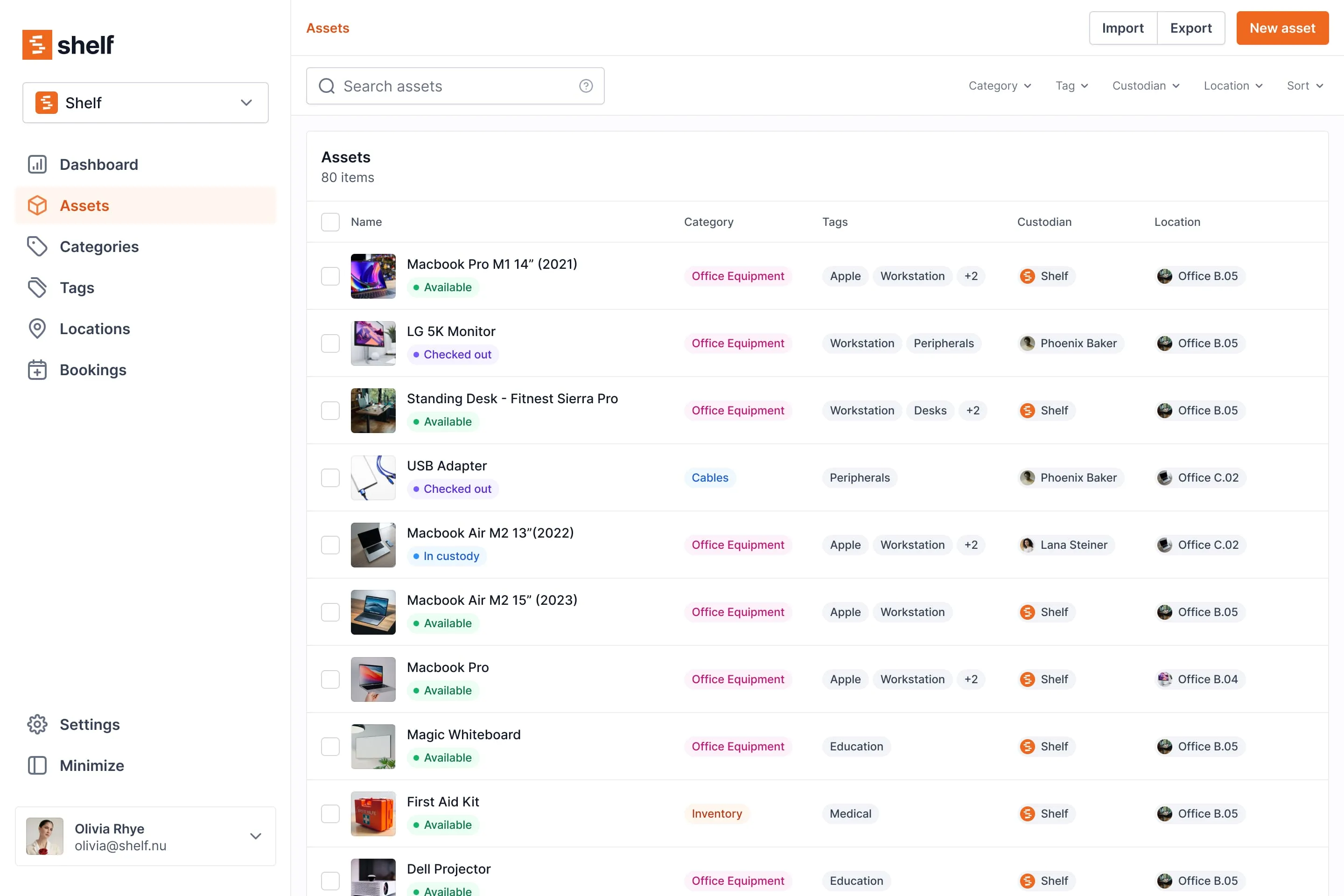
What Is IT Asset Tracking?
IT asset tracking covers the full lifecycle of devices: procurement, deployment, assignment, usage, maintenance, and eventual retirement or replacement. It provides visibility into who has what, where devices are located, when they're due for return, and whether they need service.
Modern IT asset tracking goes beyond static inventory lists. It supports dynamic workflows like loaner programs, hybrid-workforce device assignments, onboarding/offboarding handoffs, and multi-location visibility—all from a centralized system.
Why Teams Need a Modern IT Asset Tracking Solution
IT departments face persistent challenges with device management:
- Missing devices: Laptops, chargers, and peripherals disappear without clear trails.
- No ownership history: When devices change hands, responsibility becomes unclear.
- Outdated spreadsheets: Manual records drift out of sync and fail under real operational pressure.
- Hybrid work complexity: Remote employees, rotating offices, and distributed teams make visibility harder.
- Disconnected systems: Reservations, custody, and maintenance live in separate tools—or don't exist at all.
A modern IT asset tracking solution consolidates these workflows into a single, intuitive platform that fits how IT teams actually work.
How Shelf Supports IT Asset Tracking
QR-First Identification
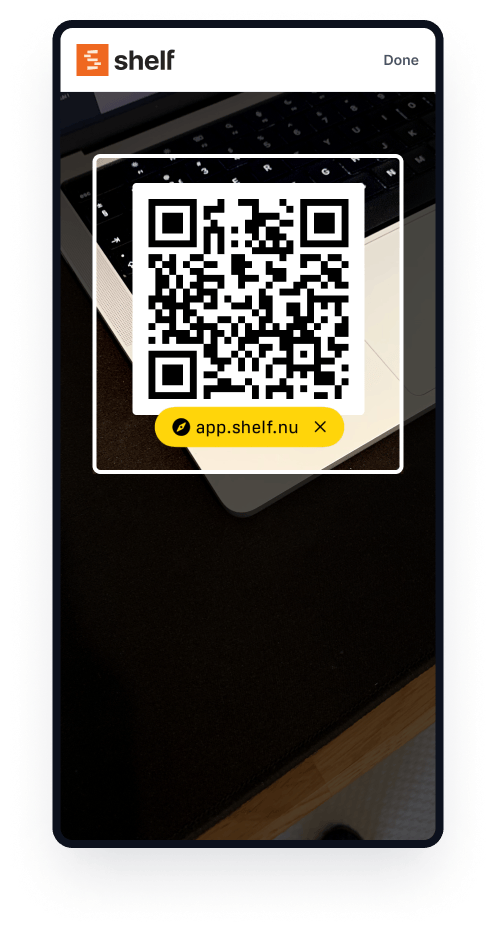
Every device gets a QR code. Scanning instantly shows device details, custody history, booking status, and maintenance notes. No training required—anyone with a phone can check or update an asset in seconds.
Bookings for Loaners
IT loaner programs need conflict-free scheduling. Shelf prevents double-bookings, shows real-time availability, and lets users reserve devices ahead of time.
See: Bookings
Custody Tracking
Shelf automatically logs who has each device and when it was assigned. When an employee returns a laptop or hands off a charger, the system updates instantly—providing a complete responsibility trail.
See: Custody
Locations for Offices / Rooms
Track devices across buildings, floors, rooms, and storage areas. When equipment moves, update the location with a quick scan. Ideal for classroom tech, meeting room setups, and multi-site IT operations.
See: Location Tracking
Kits for Accessories
Group chargers, adapters, cables, and peripherals with their parent devices. Shelf flags missing components and keeps kits together so nothing gets left behind.
See: Kits
Quantity Tracking for Stockroom Accessories
Serialized devices — laptops, monitors, tablets — stay individually tracked, each with its own QR code and custody history. The interchangeable accessories you keep in bulk don't need that. Chargers, dongles, USB-C adapters, and spare cables can be tracked by quantity instead: one record per type, a running count, and a unit of measure. Set a minimum threshold on each and the workspace owner and every admin get a low-stock email before the dongle drawer runs dry — so reordering happens before a new hire is left waiting.
See: Track consumables by quantity · Quantity-tracked assets
Workspaces
Separate IT inventories by department, campus, or team. Each workspace operates independently with its own users, permissions, and assets—while admins retain central oversight.
See: Workspaces
Key Benefits for IT Teams
- Full visibility into device location and status at any moment
- Clear accountability with automatic custody logs
- Faster onboarding/offboarding with streamlined device handoffs
- Fewer lost devices through consistent check-in/check-out workflows
- Reduced admin overhead with self-service scanning and booking
- Audit-ready records for compliance and reporting — run the Asset Inventory, Asset Utilization, and Custody Snapshot reports on demand and export to CSV or PDF
Common Use Cases
- Loaner laptop programs: Manage short-term device loans with conflict-free scheduling and automatic returns.
- Classroom technology: Track projectors, tablets, and AV carts across rooms and buildings.
- Hybrid workforce equipment: Assign devices to remote employees and maintain visibility across locations.
- Corporate onboarding/offboarding: Ensure new hires receive equipment and departing employees return everything.
- Shared peripherals: Manage monitors, docking stations, and accessories that rotate between users.
Case Studies
See how other organizations use Shelf for IT asset tracking:
- ResQ Contact Center — Improved accountability and reduced device loss across distributed teams.
- Eastern Michigan University — Streamlined equipment management for theatre and media programs.
Getting Started
- Import assets: Upload your existing device inventory via CSV or add items manually.
- Create locations: Define buildings, rooms, and storage areas for accurate tracking.
- Label devices: Print and attach QR codes to laptops, chargers, and peripherals.
- Invite your team: Add IT staff and end users with appropriate permissions.
- Start workflows: Begin booking, custody assignments, and location updates immediately.
FAQs
How does Shelf handle device assignments?
Shelf uses custody tracking to log who has each device. Assignments update automatically when users scan QR codes during check-out or return.
Can I track accessories like chargers and cables?
Yes. Use kits to group accessories with their parent devices, or track consumables by quantity for the interchangeable ones you keep in bulk — one record per type with a running count and low-stock alerts. Shelf flags missing kit components when items are checked in or out.
Does Shelf work for hybrid or remote teams?
Absolutely. Devices can be assigned to remote employees, and location updates can reflect home offices, shipping, or any custom location.
How do I prevent double-bookings for loaner devices?
Shelf's booking system shows real-time availability and prevents conflicts automatically. Users see open time slots and reserve devices without overlap.
Is Shelf suitable for multi-site IT operations?
Yes. Use workspaces to separate inventories by site, department, or team—while maintaining centralized visibility for IT leadership.
See it in action
Real teams using Shelf for it asset tracking.


Ready to organize your assets?
Join thousands of teams who trust Shelf to manage their physical assets. Free forever, or try the Team plan free for 7 days.
Out in the field? Shelf Companion is free on iPhone & Android.