
Shelf vs BriteCheck
BriteCheck Alternative
Compare BriteCheck and Shelf to understand how field service asset management differs from QR-first equipment operations.

BriteCheck is a cloud-based inventory management platform used by small businesses to track stock levels, scan barcodes, and monitor items across warehouses. It works well as a general inventory tool for tracking quantities and reorder points. Teams searching for a BriteCheck alternative often need something designed specifically for equipment operations—custody tracking, bookings, kit management, and workflows where assets move between people and locations rather than sitting on shelves.
Overview: BriteCheck vs Shelf
BriteCheck is structured as an inventory management system. It tracks stock quantities, generates purchase and sales orders, sets low-stock alerts, and organizes items into folders across warehouse locations. Its AI-powered features focus on demand forecasting and inventory valuation. Plans start at $25/month (billed annually) for up to 3 users and 2,000 items, scaling to $177/month for 10 users and unlimited items.
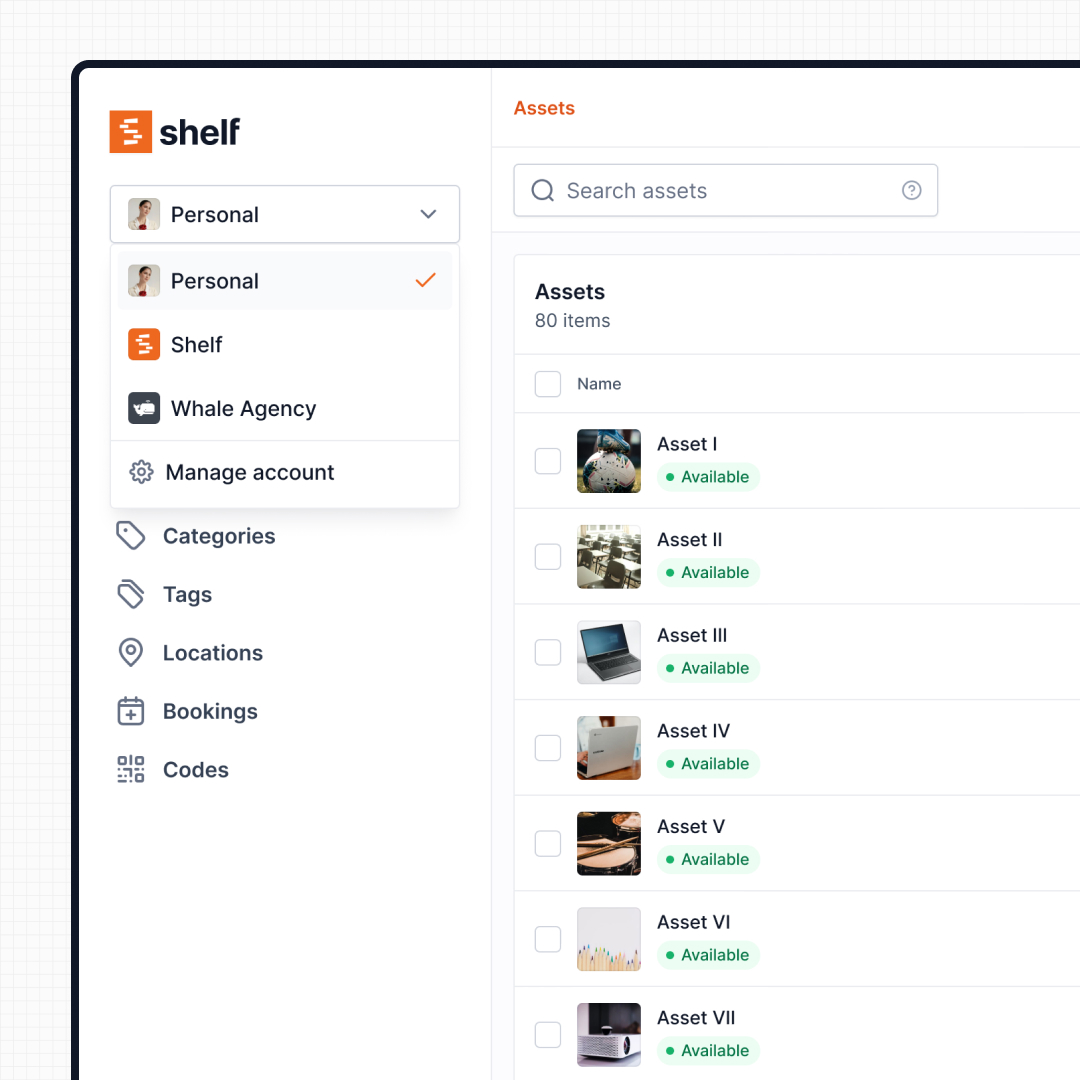
Shelf is built for equipment operations—the workflows that happen when assets are checked out, shared between teams, moved between locations, and returned. Rather than counting stock quantities, Shelf tracks custody (who has what), schedules bookings (who needs it next), groups items into kits (what travels together), and provides instant QR-based interactions that any team member can use without training. Shelf offers a free tier for individuals, with team plans starting at $67/month that include unlimited assets and built-in custody workflows.
Where Shelf Takes a Different Approach
1. Equipment Custody vs Inventory Counts
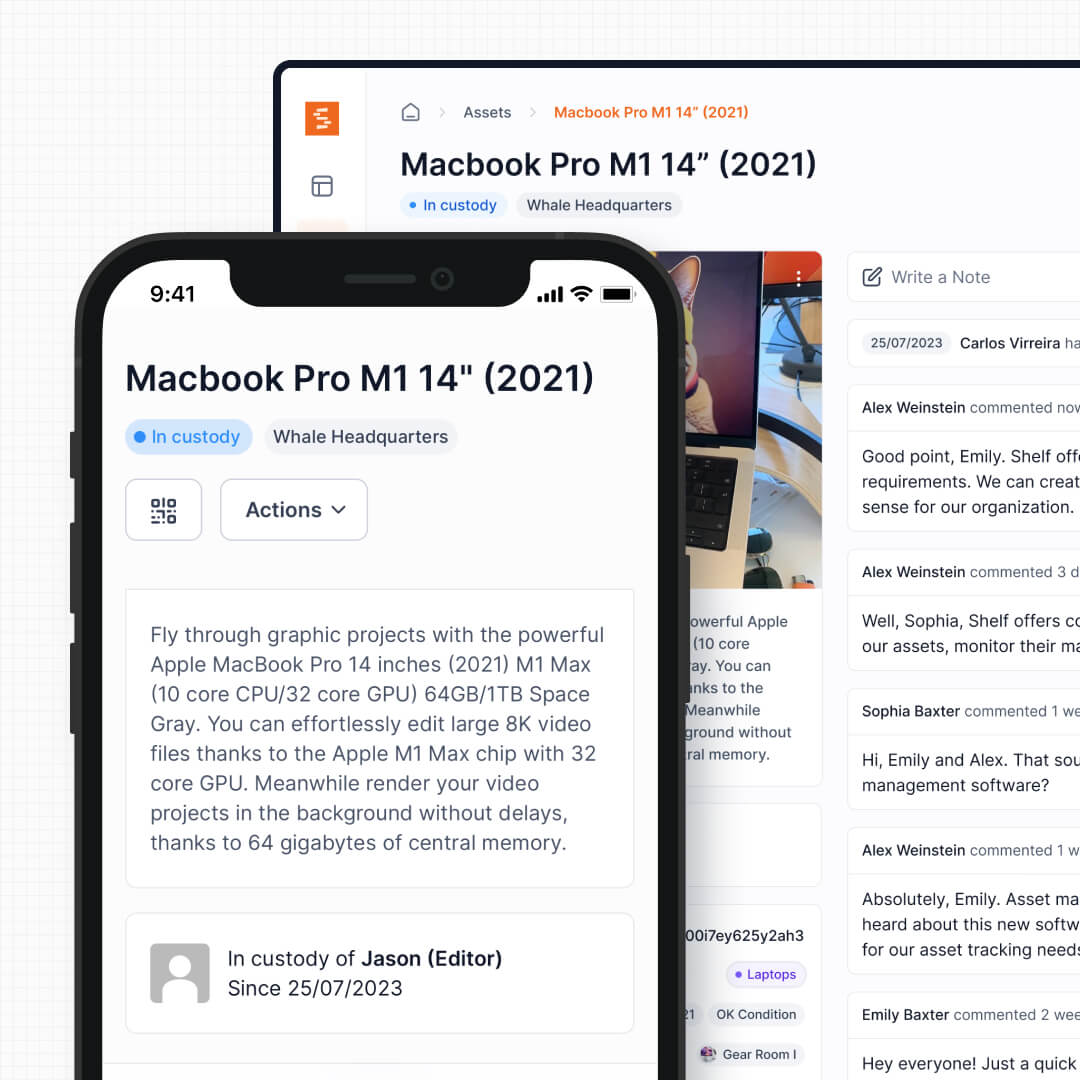
BriteCheck tracks items by quantity—how many units are in stock, what needs reordering, and where inventory sits across warehouses. This works for consumable goods and supplies, but it does not answer the question equipment managers ask most: who has this specific item right now?
Shelf tracks individual asset custody. Every check-out, return, and transfer is recorded with timestamps and user attribution. Scan an asset’s QR code and you immediately see its full chain of custody—not just that one unit is missing from a warehouse count.
See: Custody
2. Built-In Booking for Shared Equipment
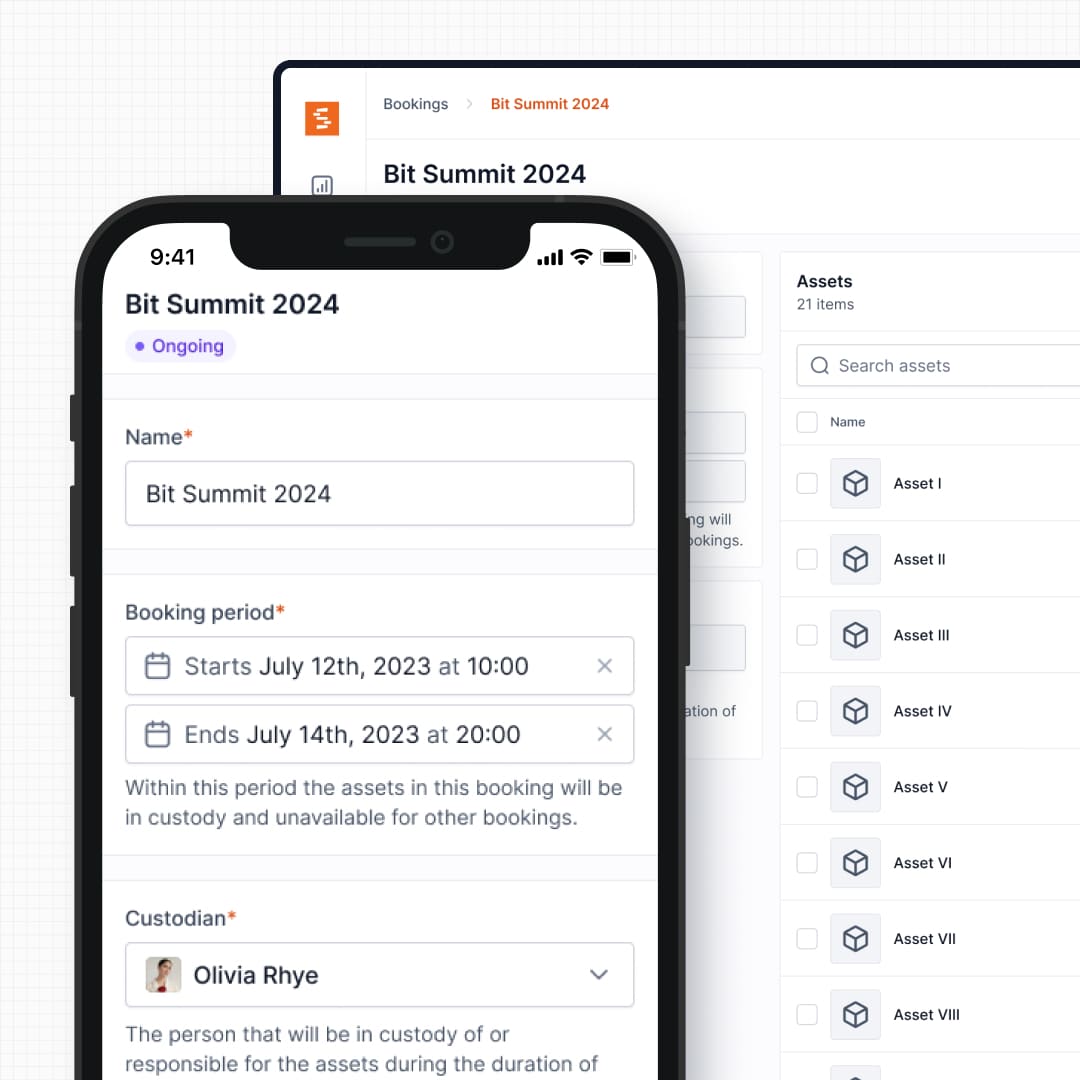
BriteCheck does not include a reservation or scheduling system. If multiple technicians or departments need the same piece of equipment, coordination happens outside the platform—via email, spreadsheets, or verbal agreements.
Shelf includes native booking functionality. Users can reserve equipment in advance, see what is available for specific dates, and avoid double-booking conflicts. This is essential for teams sharing test instruments, vehicles, AV gear, or any equipment with more demand than supply.
See: Bookings
3. Kit-Based Workflows
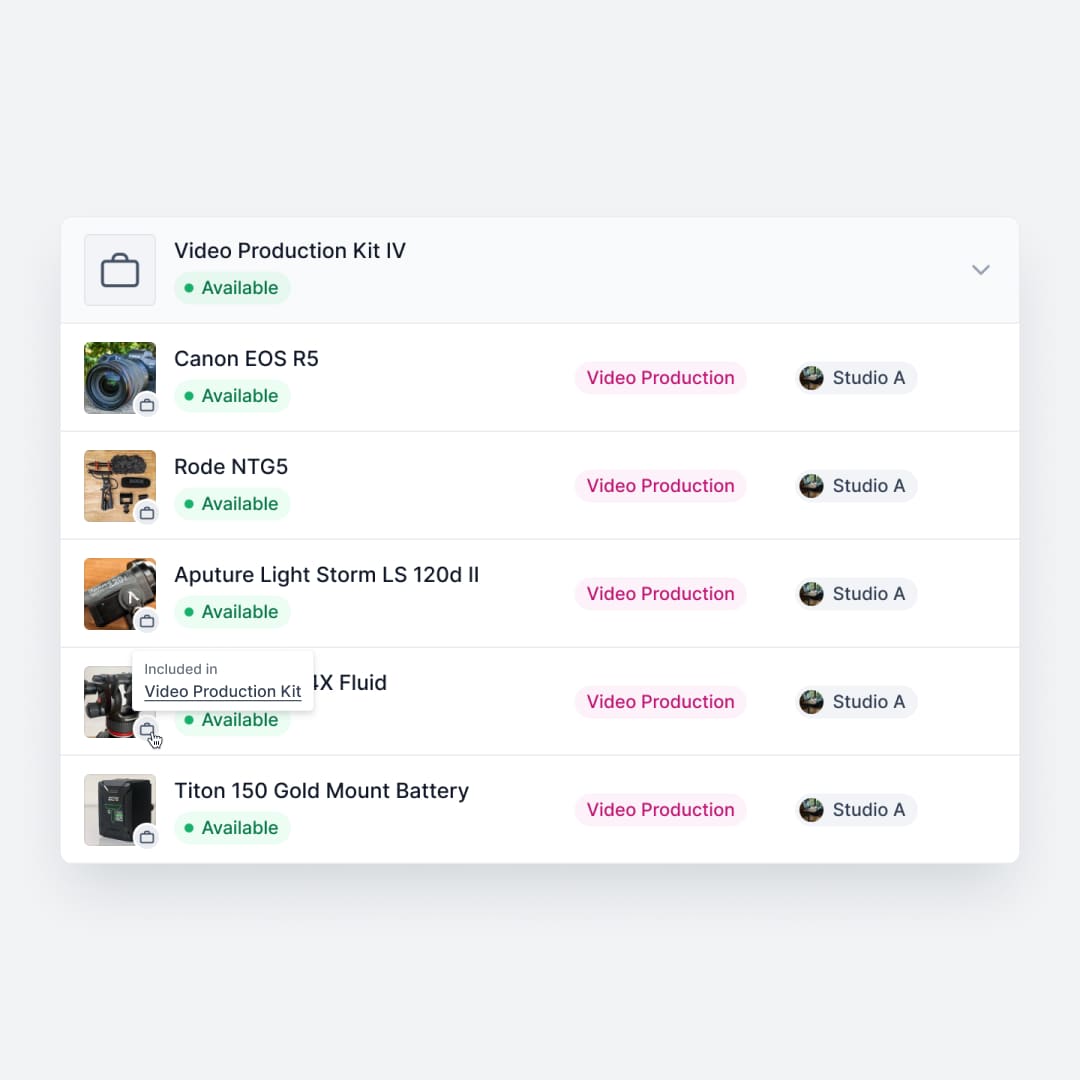
BriteCheck organizes items into folders and categories, but does not model parent-child relationships between equipment components. A camera body, its lenses, batteries, and charger are separate line items with no structural connection.
Shelf groups related items into kits. Check out a toolkit and every component inside it moves together. Return it, and Shelf flags any missing pieces. This prevents the slow attrition of accessories that plagues organizations tracking items individually.
See: Kits
4. QR-First Operations vs App-Dependent Scanning
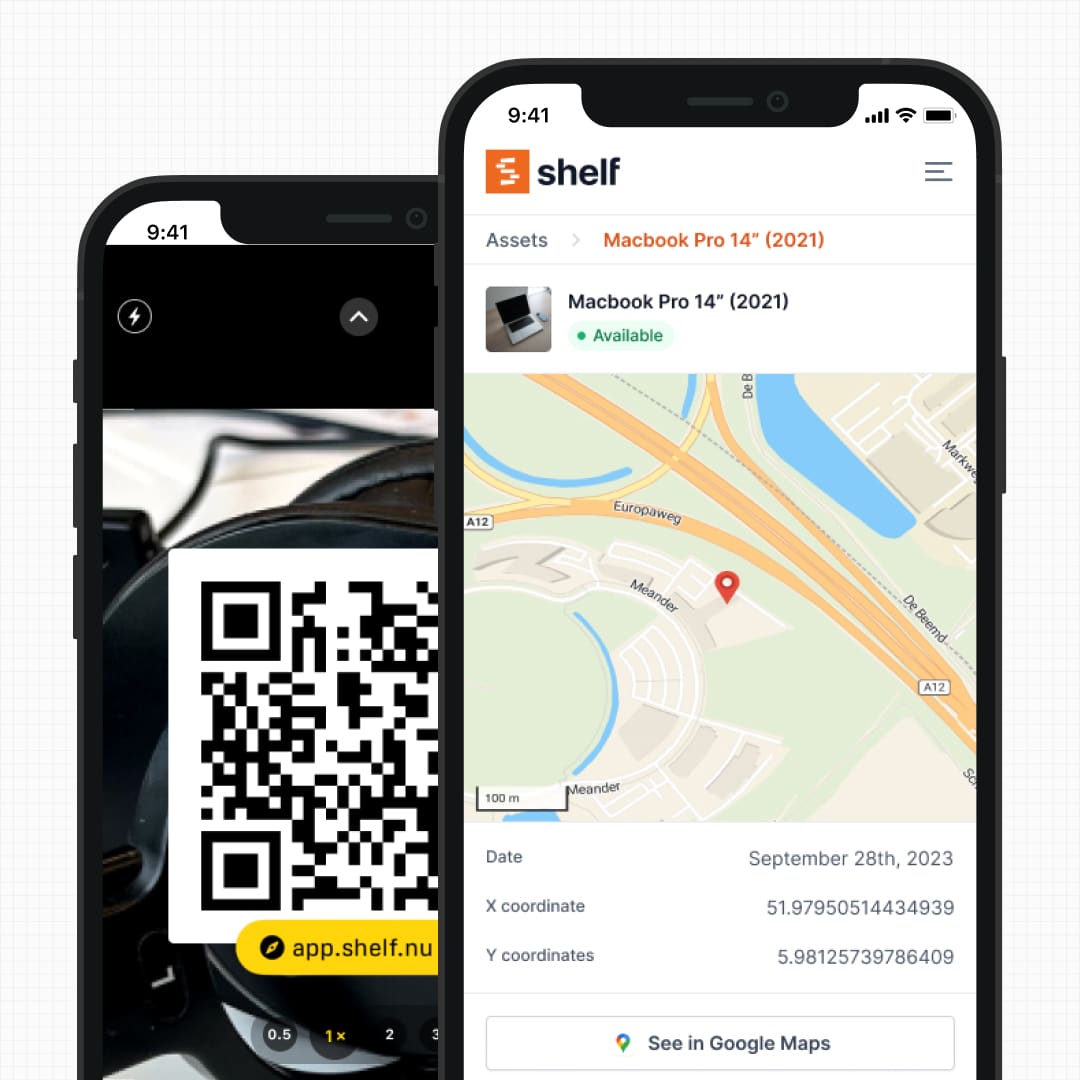
Both platforms support barcode and QR scanning through mobile apps. The difference is what happens after the scan. BriteCheck scanning is focused on updating stock quantities—adjusting counts, adding items, and recording movements between warehouse locations.
Shelf’s QR codes are operational triggers. Scanning an asset opens its full context: custody history, current status, location, upcoming bookings, and one-tap actions to check out, return, or transfer. Any team member with a phone camera can complete equipment transactions in seconds, without navigating through inventory management screens.
See: QR Asset Labels See: Location Tracking
5. Multi-Department Workspaces
BriteCheck supports multiple warehouse locations—up to 5 on the Company plan. But warehouses are storage locations, not organizational boundaries. When IT, facilities, and media departments all need independent equipment inventories with different access controls, a warehouse model does not fit.
Shelf’s workspaces create true organizational separation. Each department manages its own assets, users, and workflows. Administrators maintain cross-department visibility while teams operate independently. This matters for organizations where equipment operations span multiple groups with different needs.
See: Workspaces
6. Pricing and Scalability
BriteCheck’s entry-level Pro plan ($25/month annually) limits organizations to 3 users and 2,000 items. Reaching 10 users requires the Company tier at $177/month, and larger teams need the Corporate plan starting at $7,500/year. User access controls are only available from the Company plan upward.
Shelf’s free Personal plan has no item limits. The Team plan at $67/month includes unlimited assets and is designed for collaborative equipment operations from the start. This means growing teams do not hit artificial walls as their inventory scales, and access controls are available without jumping to a higher pricing tier.
See: Pricing
Reports — Operational Visibility
BriteCheck centers on inventory-count audit sessions; outputs are session reports rather than ongoing operational analytics. Shelf includes a built-in Reports area with ready-to-run reports across bookings, assets, and custody — Booking Compliance, Top Booked Assets, Top Booked Kits, Monthly Booking Trends, Overdue Items, Asset Inventory, Asset Activity Summary, Asset Utilization, Idle Assets, Asset Distribution, and Custody Snapshot. Every report exports to CSV; chart-based reports also export to PDF.
When Teams Choose Shelf Instead of BriteCheck
Teams often look for a BriteCheck alternative when their needs go beyond inventory counting:
- Equipment lending and check-out workflows: Libraries, universities, and media teams need custody tracking, not stock-level monitoring
- Shared resource scheduling: Organizations where multiple teams compete for the same equipment need built-in booking, not external coordination
- Kit and accessory management: Operations that deploy grouped equipment need kit-aware tracking to prevent component loss
- Multi-department organizations: Teams across IT, facilities, and operations need workspace separation, not just warehouse locations
- Scaling beyond small teams: Organizations outgrowing BriteCheck’s user and item limits need a platform that does not penalize growth
- Non-technical end users: Teams where frontline staff—not just inventory managers—need to interact with assets daily through simple QR scans
When BriteCheck May Be a Better Fit
BriteCheck is a solid choice in certain scenarios, and an honest BriteCheck vs Shelf comparison should acknowledge them:
- Purchase and sales order workflows: Organizations that need inventory software integrated with ordering and fulfillment processes, with automated purchase orders and reorder points driving procurement
- Retail and raw-material stock: Businesses managing retail inventory or raw materials where high-volume quantity counting and reorder automation are the primary concern. (For equipment teams that also keep supplies on hand, Shelf can track consumables and spare parts by quantity with min-quantity low-stock email alerts alongside individually-tracked assets — it just doesn't drive purchase-order automation.)
- AI-powered demand forecasting: Teams that benefit from automated stock predictions and inventory valuation reports
- Small teams with simple needs: Freelancers or very small businesses with under 2,000 items that need basic scanning and stock tracking without operational workflows
- Budget-conscious startups: BriteCheck’s Pro plan at $25/month offers a low entry point for teams with minimal collaboration needs
Case Studies
See how teams manage equipment operations with Shelf:
- Arellano Associates — Event Equipment Management
- CES Utility Solutions — $70K Equipment Recovery
- Fabel Film — Eliminating Double Bookings
- Eastern Michigan University — Theatre Equipment Management
Related Solutions
Quick comparison
| Feature | Shelf | BriteCheck |
|---|---|---|
| Free plan with unlimited assets | Varies | |
| Open source & self-hostable | ||
| QR codes with custom branded labels | Varies | |
| Custody tracking with full audit trail | Varies | |
| Equipment bookings & reservations | Varies | |
| Kit-aware check-in/check-out | Varies | |
| Location hierarchy (up to 12 levels) | Varies | |
| CSV import from any tool | Varies | |
| Works on any device (PWA) | Varies | |
| No credit card to start | Varies |
Feature availability for BriteCheck may vary by plan. We encourage you to verify on their website.
Compatibility Checker
Will your BriteCheck Barcodes
Work with Shelf?
Camera preview
Supported barcode types: Code128, Code39, QR Code, DataMatrix, EAN-13, EAN-8, UPC-A, UPC-E, ITF, Code93.
If your barcode doesn't scan, it may be due to camera focus, lighting, or barcode quality. This doesn't necessarily mean your code isn't supported — try again or upload a clearer image.

Ready to switch from BriteCheck?
Create a free account and import your data in minutes. No credit card required.
Also compare
Evaluating alternatives? See how Shelf stacks up against similar tools.



Ready to organize your assets?
Join thousands of teams who trust Shelf to manage their physical assets. Free forever, or try the Team plan free for 7 days.
Out in the field? Shelf Companion is free on iPhone & Android.