
Shelf vs Cheqroom
Cheqroom Alternative
Compare Cheqroom and Shelf to understand the differences in workflows, usability, and modern equipment management approaches.
If you're shopping for a Cheqroom alternative, you've usually hit one of three friction points: per-admin pricing that climbs fast as your team grows, a reservation-then-checkout flow that confuses new users, or a proprietary model that keeps your data inside someone else's product.
Shelf is built on different priorities. Flat pricing instead of per-admin licenses. A unified booking-and-custody workflow with no gap between "reserved" and "checked out." And an open-source platform (AGPL-3.0) you can inspect, self-host, or export from at any time.
Switch to Shelf if you need:
- Flat pricing — no per-admin fees as your team grows
- Open source — self-host, audit the code, own your data
- A single booking-and-custody workflow with no handoff gap
- A free plan with unlimited assets to test before committing
Stay with Cheqroom if you need:
- Mature maintenance scheduling and service-history tracking
- PDF agreements with digital signatures on every checkout
- GPS tracking on higher tiers for assets that move without a scan
- Deep Zapier integrations across 4,000+ apps
Overview: Cheqroom vs Shelf
Cheqroom uses a per-admin pricing model with four plans: Core at $184 per admin per month, Business at $275, Enterprise at $367, and E.L.A. (Enterprise License Agreement) at a custom quote. These prices are published on Cheqroom's pricing page and match Capterra, both checked on 5 October 2026. All plans include unlimited assets and regular users, which is a genuine strength. However, advanced features like GPS tracking, digital signatures, and deeper integrations are gated behind higher tiers. The average annual contract runs approximately $9,300 according to third-party data.
Shelf takes a different approach entirely. Instead of per-admin licensing, Shelf is open source with transparent pricing. Teams can self-host for free or use the managed cloud service. Where Cheqroom has invested heavily in features like maintenance scheduling, PDF agreement generation, and Zapier integrations with 4,000+ apps, Shelf focuses on the core equipment circulation loop: scan, check out, book, return, verify. Both platforms support QR codes and kits, but they prioritize different parts of the equipment management workflow.
Quick Comparison
| Capability | Cheqroom | Shelf |
|---|---|---|
| Primary focus | AV/media equipment rooms, reservation management | Equipment check-out, booking, custody |
| Pricing | Core $184/admin/month; Business $275, Enterprise $367, E.L.A. custom (checked 5 Oct 2026) | Free (self-hosted) or managed cloud |
| Pricing model | Per-admin license, unlimited assets | Flat pricing, unlimited users |
| Kit management | Yes — bundle equipment into kits | Yes — kit-aware booking with return verification |
| Consumables / quantity tracking | Yes — bulk items, with units of measure and min-levels via custom fields | Yes — native quantity fields: unit of measure, min-quantity alerts, Used-up/Returnable types |
| Equipment booking | Yes — reservation and check-out workflows | Yes — with automatic conflict prevention |
| GPS tracking | Yes (higher tiers) | No — QR-first, no hardware needed |
| Maintenance scheduling | Yes — repair tracking and service schedules | No |
| Digital signatures | Yes — PDF agreement generation on checkout | No digital signatures. A printable check-in receipt records what came back and carries paper signature lines |
| Open source | No — proprietary SaaS | Yes — full codebase available |
| Integrations | Zapier, Slack, Google Calendar, Microsoft Teams | Open-source codebase; CSV import/export |
| Mobile experience | Native app (some feature gaps vs. web) | Native iOS & Android app (Shelf Companion) + mobile web |
| Multi-team workspaces | Single workspace per subscription | Separated workspaces per department |
| Operational reports | Reservation analytics and asset reports | Built-in operational reports (booking compliance, top booked assets and kits, utilization, idle, custody, distribution) with CSV/PDF export |
Where Shelf Takes a Different Approach
1. Transparent Pricing vs Per-Admin Licensing
Cheqroom's per-admin model means costs scale with how many people manage equipment. For a university media center with three staff members who all need admin access, that is $552 per month on the Core plan (3 x $184, checked 5 October 2026) before reaching the tiers that unlock features like GPS tracking or advanced reporting. Organizations with multiple equipment rooms across departments can see costs climb quickly.
Shelf is open source. Teams can self-host at no cost or use the managed cloud with predictable flat pricing. There are no per-admin fees, no features locked behind opaque enterprise tiers, and no need to contact sales to learn what you will pay.
2. Unified Custody and Booking Workflows
Cheqroom separates reservations from check-outs as distinct workflow stages. Reviewers on Capterra note that staff sometimes get confused about the difference between reserving, checking out, and checking back in, and that selecting equipment during a reservation can feel clunky.
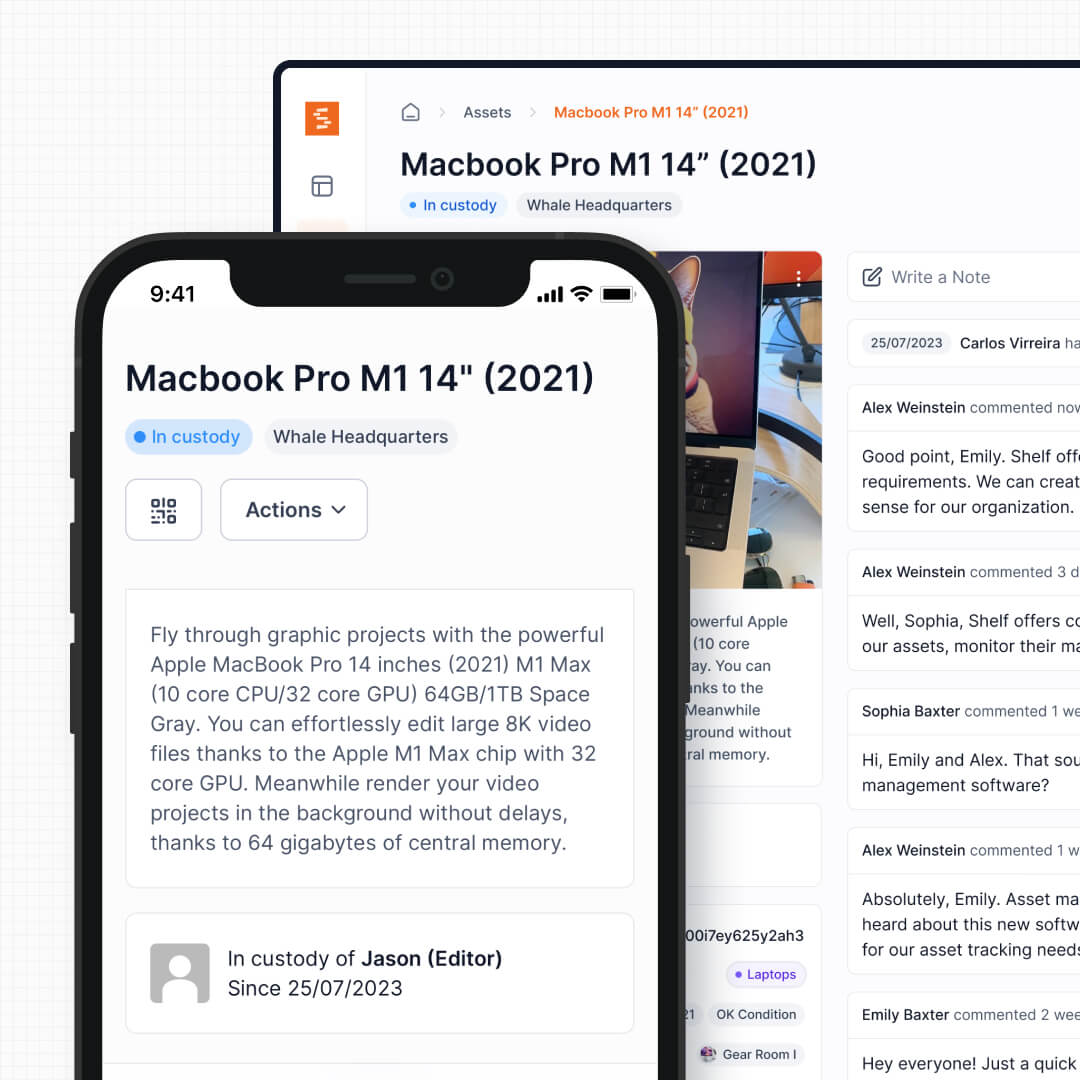
In Shelf, bookings and custody are a single connected workflow. When a reservation begins, custody transfers automatically. When equipment is returned, both systems update instantly. There is no gap between "reserved" and "checked out" where accountability gets lost.
3. Kit Verification on Return
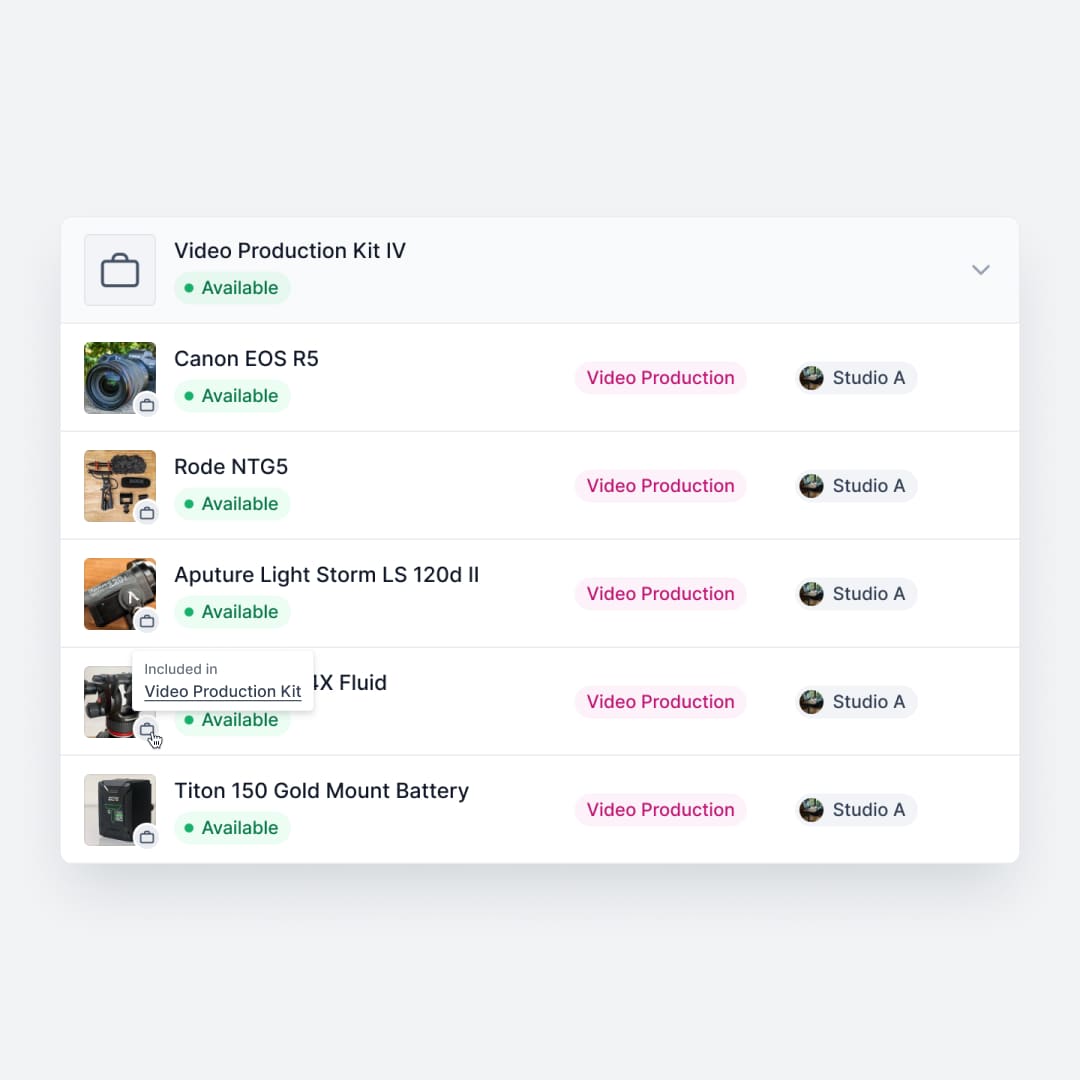
Both Cheqroom and Shelf support grouping equipment into kits. Cheqroom lets you bundle cameras, lenses, and audio accessories into kits that can be checked out with a single scan, which is a solid feature for AV environments.
Shelf takes kit management further with return verification. When a camera kit comes back, Shelf flags exactly which components are missing before the next user picks it up. This prevents the slow bleed of accessories, cables, and adapters that plagues shared equipment operations. The difference is not whether you can group items, but whether the system actively catches what is missing.
See: Kits
4. Native Consumables Fields vs Custom-Field Workarounds
Both platforms handle bulk items, and Cheqroom can model a unit of measure and a minimum stock level by configuring custom fields on those items. That works, but it relies on fields you build and maintain yourself.
Shelf treats this as first-class. When you create an asset you choose its tracking method — individually tracked, or tracked by quantity for a pool of identical units sharing one QR. Quantity-tracked items have native fields for total quantity, unit of measure (pcs, boxes, liters), a min-quantity low-stock threshold, and a consumption type: "Used up" for items that are consumed, or "Returnable" for items returned with a consumption report at check-in. When stock reaches or falls below the threshold, a low-stock email goes to the workspace owner and every admin. No custom-field scaffolding to set up or keep consistent across your inventory.
See: Consumables Tracking
5. Mobile-First Experience
Cheqroom offers a dedicated mobile app for Android and iOS, which is a reasonable approach. However, G2 and Capterra reviewers consistently note feature gaps between the app and the web interface, with management functions unavailable on mobile. For teams doing equipment hand-offs on loading docks or in gear rooms, those gaps create friction.
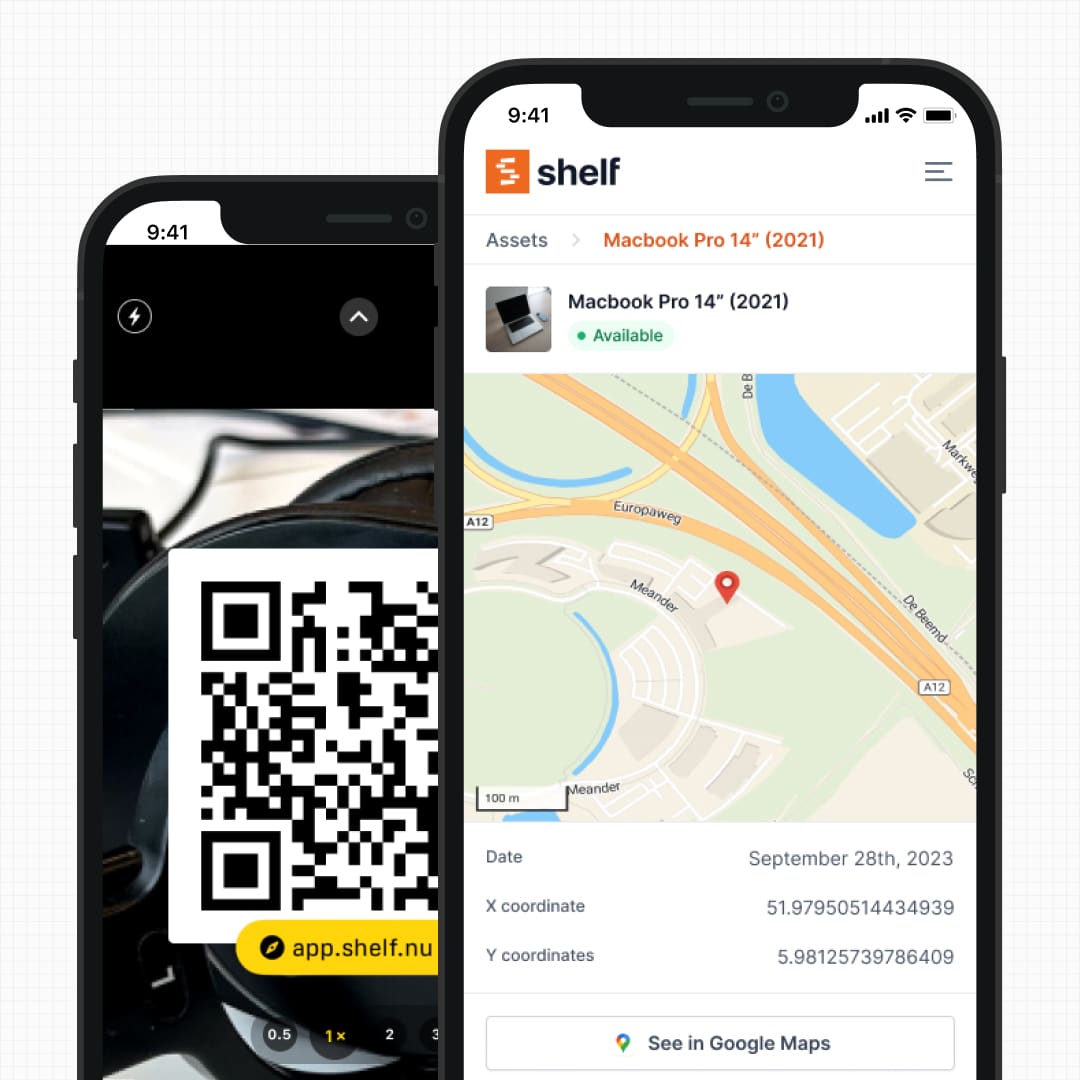
Shelf is mobile-first by design. QR scanning, custody transfers, booking confirmations, and return verification all work in any smartphone browser. For a native field experience on iPhone and Android, the free Shelf Companion app is on the App Store and Google Play — same workspace, same data, focused on the field workflows. Bookings read as a month calendar or a list on the phone, so a dispatcher can see whether a week is already committed before promising the gear. Either path, the web stays the source of truth for configuration, reporting, and admin work.
See: Asset Search · Shelf Companion
6. Multi-Department Workspaces
Cheqroom operates on a single-workspace-per-subscription model. For a standalone media department or a single equipment room, this works well. But organizations where IT, facilities, and media production all need to manage their own equipment independently face challenges: either everyone shares one crowded inventory, or you pay for separate subscriptions.
Shelf uses workspaces to cleanly separate inventories by department, program, or location. Each team manages their own equipment independently while administrators retain visibility across the organization. One platform, multiple independent operations, no cross-department clutter.
See: Workspaces
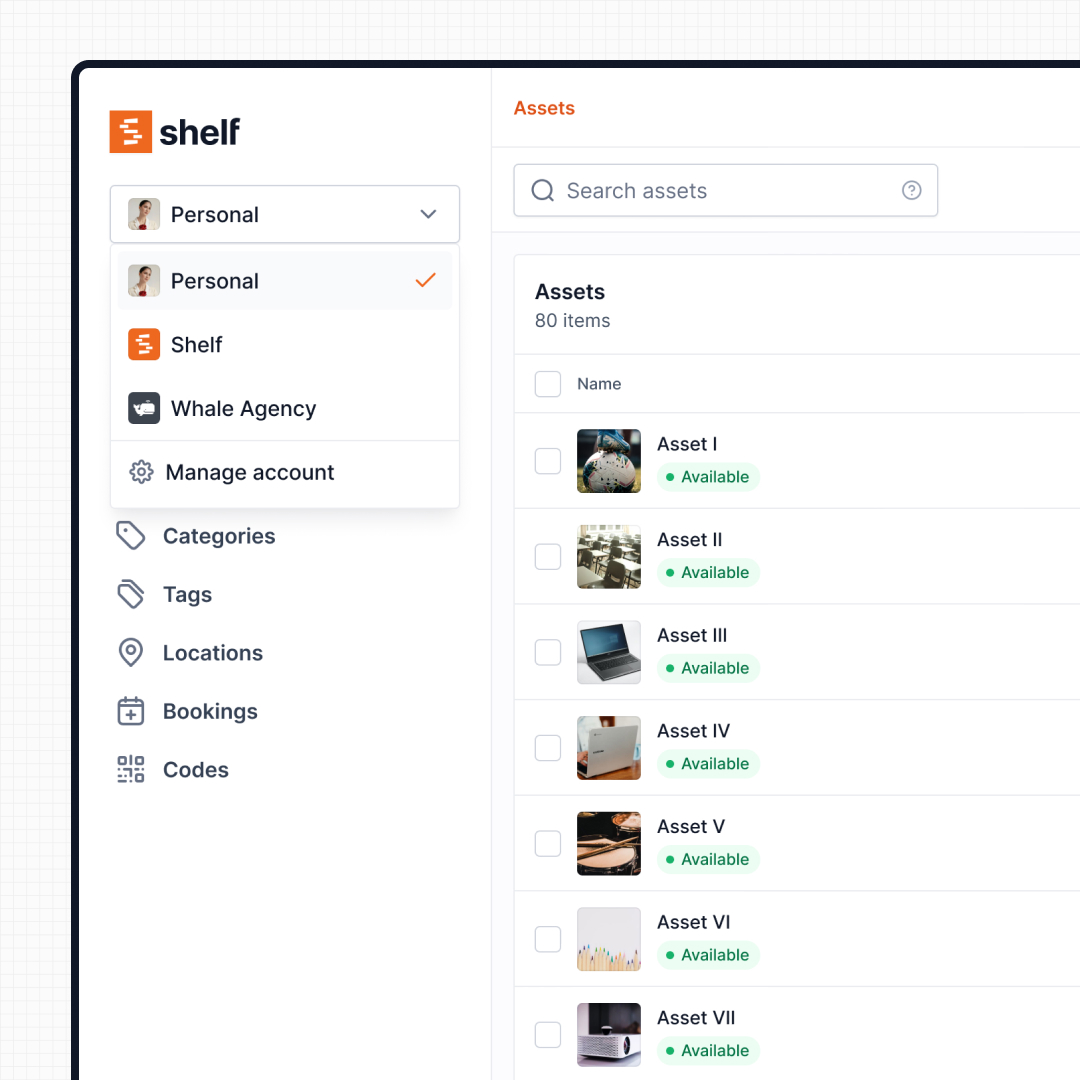
7. Search That Forgives Mistakes
Cheqroom reviewers on Capterra specifically call out the search functionality as a pain point. The search is spelling and spacing sensitive and will not surface items if a user does not know exactly how the item name was entered into the system. For busy equipment rooms where students or freelancers need to find gear quickly, this creates unnecessary friction.
Shelf's search is designed for speed and forgiveness. Scan a QR code to instantly pull up any asset, or search by name, category, tag, or custom field. The goal is zero barriers between a person and the equipment they need.
See: Asset Search
8. Booking-Centric Notification Management
Both Cheqroom and Shelf let admins configure who receives booking notifications. Cheqroom's approach is rule-based: administrators go to Settings > Notifications and build notification rules — choose a trigger (new reservation, check-out due, overdue, etc.), pick the delivery channel (Email, SMS, Slack, Webhooks), and specify recipients. It is a powerful, flexible system, particularly well-suited for teams that need SMS alerts or Slack routing.
Shelf takes a different approach. Notification recipients are configured directly on bookings and at the workspace level alongside other booking settings — not in a separate notifications area. When creating or editing a booking, anyone can add per-booking recipients right in the booking form. Workspace-level defaults (notify booking creator, always-notify user list, admin broadcast) live in Settings > Bookings next to working hours and other booking configuration.
Admins with Owner or Admin role also see a notification preview in the booking form — a real-time summary of exactly who will receive emails for that booking, grouped by reason (custodian, creator, always-notified, per-booking recipients, admin broadcast), before the booking is saved.
The practical difference: Cheqroom's notification system is powerful but separate from the booking workflow. Shelf's is embedded directly in it.
See: Bookings
9. Open Source and Data Ownership
Cheqroom is a proprietary SaaS platform. Your data lives on their infrastructure, your workflows depend on their product decisions, and if pricing changes or the product pivots, your options are limited to what they offer.
Shelf is open source. Teams can inspect the full codebase on GitHub, self-host on their own infrastructure, or use the managed cloud. There is no vendor lock-in, your data export is always available, and if you need functionality that does not exist, you can build it yourself or contribute it upstream.
When Teams Choose Shelf Instead of Cheqroom
Teams often choose Shelf over Cheqroom when their priorities align with these patterns:
- Budget transparency matters: Per-admin fees add up across departments; Shelf's flat pricing and free self-hosted option keep total cost predictable
- Education environments: Students and temporary staff can scan a QR code without training; Cheqroom's multi-step reservation and checkout flow requires more onboarding
- Film and media production: Fast check-outs that keep pace with production schedules, with kit verification that catches missing components before the next shoot
- IT departments: Clear custody trails showing exactly who has each device and when it is due back
- Multi-department organizations: Workspaces let different teams operate independently without paying for separate subscriptions
- Open-source requirements: Data sovereignty, self-hosting capability, and codebase transparency are non-negotiable
When Cheqroom May Be a Better Fit
Cheqroom has genuine strengths that matter for certain use cases:
- AV-heavy environments needing maintenance tracking: Cheqroom's maintenance scheduling, repair documentation, and service history tracking are more mature than what Shelf offers today. If tracking when gear was last serviced matters as much as tracking who has it, Cheqroom addresses this directly
- Organizations requiring digital signatures: Cheqroom generates PDF agreements with digital signatures on checkout, which is valuable for liability documentation in rental or loan scenarios
- Teams deeply embedded in Zapier workflows: Cheqroom's 4,000+ app integrations via Zapier and native Slack and Microsoft Teams connectors make it a strong choice for organizations that automate heavily across tools
- GPS tracking of high-value mobile assets: Cheqroom's higher-tier GPS tracking helps teams monitor equipment moving between locations where nobody is available to scan a QR code
- Organizations already invested in Cheqroom: Teams with established workflows, trained staff, and historical data in Cheqroom may find the switching cost outweighs the benefits
Both platforms solve equipment management, but they prioritize different aspects. Cheqroom is strongest when maintenance compliance, signed agreements, and broad integrations drive the decision. Shelf is strongest when equipment circulation speed, custody accountability, and transparent pricing are the daily priority.
Frequently Asked Questions
Can I import my data from Cheqroom?
Yes. Cheqroom lets you export assets, users, and custody history to CSV. Shelf's CSV import wizard maps your columns to Shelf fields — asset name, category, location, serial number, and any custom fields — in minutes.
Is Shelf cheaper than Cheqroom?
Yes, by a wide margin for most teams. Cheqroom charges per admin: Core is $184 per admin per month, Business $275, Enterprise $367, and E.L.A. is a custom quote. Regular users and items are unlimited on every plan. These prices are from Cheqroom's pricing page, checked on 5 October 2026. Shelf has a free plan with unlimited assets, and the Team plan starts at $67/month flat — no per-admin or per-user fees. See pricing.
How much does Cheqroom cost in 2026?
Cheqroom publishes its prices: Core is $184 per admin per month, Business $275, Enterprise $367, and E.L.A. (Enterprise License Agreement) is a custom quote. You pay per administrator; regular users and items are unlimited on every plan. Figures from Cheqroom's pricing page and Capterra, checked on 5 October 2026. Cheqroom introduced this per-admin model in October 2025 in place of its earlier per-item plans. If your renewal moved you onto the new model, compare the per-admin total with what you paid before; three admins on Core are $552 a month. Shelf's Team plan is $67 a month for the whole workspace, with unlimited users. See pricing.
Is Shelf a Cheqroom alternative for universities and colleges?
Yes, and education is where most Cheqroom-to-Shelf moves come from. Kansas City Art Institute migrated its media center from Cheqroom and kept the labels already on its gear, and Eastern Michigan University runs theatre and media equipment on Shelf. Students, teaching assistants and staff each sign in with their own account at no extra cost, because Team pricing is per workspace, not per user. Registered non-profit schools and universities get 10% off Team, add-ons and SSO on annual billing. Shelf also provides a VPAT for accessibility reviews. See equipment tracking for education.
Does Shelf have maintenance scheduling like Cheqroom?
Not today. If preventive maintenance reminders and service-history tracking are core to your operation, Cheqroom's maintenance module is more mature. Shelf focuses on equipment circulation: scan, check out, book, return, verify. Lightweight maintenance notes are supported, but Shelf is not positioned as a CMMS.
Does Shelf require a mobile app?
Not mandatory. The Shelf web app works in any modern phone browser as a progressive web app — QR scanning uses the built-in camera. For a native experience on iPhone and Android focused on field work (scanning, audits, custody, bookings), the free Shelf Companion app is on the App Store and Google Play. Either path uses the same workspace and login.
Is Shelf really open source?
Yes, AGPL-licensed. The full codebase is on GitHub. You can self-host on your own infrastructure or use the managed cloud at app.shelf.nu. No vendor lock-in, data export always available, and contributions to the project are welcome.
Case Studies
See how teams operate with QR-first equipment workflows:
- KCAI — Art College Equipment Management
- Fabel Film — Eliminating Double Bookings
- Eastern Michigan University — Theatre Equipment Management
- CES Utility Solutions — $70K Equipment Recovery
Related Solutions
Compatibility Checker
Will your Cheqroom Barcodes
Work with Shelf?
Camera preview
Supported barcode types: Code128, Code39, QR Code, DataMatrix, EAN-13, EAN-8, UPC-A, UPC-E, ITF, Code93.
If your barcode doesn't scan, it may be due to camera focus, lighting, or barcode quality. This doesn't necessarily mean your code isn't supported — try again or upload a clearer image.

Ready to switch from Cheqroom?
Create a free account and import your data in minutes. No credit card required.
Also compare
Evaluating alternatives? See how Shelf stacks up against similar tools.





Ready to organize your assets?
Join thousands of teams who trust Shelf to manage their physical assets. Free forever, or try the Team plan free for 7 days.
Out in the field? Shelf Companion is free on iPhone & Android.