Printed sheets show each code as a picture of that code, at full size
The booking checklist and the audit receipt now print a barcode workspace's own barcodes, not a Shelf QR, and both sheets print at 100% with rows that never split across a page.
In a workspace that uses barcodes, the booking checklist and the audit receipt used to print a Shelf QR above the barcode value, so scanning the sheet read a different code from the one printed next to it. The picture in the Code column is now the code printed under it: a Code 128 row prints a Code 128 barcode, a DataMatrix row a DataMatrix, and an External QR row that QR. QR Code ID and SAM ID workspaces keep the Shelf QR. A barcode value too long to print at a scannable size prints as text only.
The sheets also print properly now. They used to be wider than the page, so browsers shrank them (one booking printed at 88%) and wide tables ran off the edge. The booking checklist, the check-in receipt and the audit receipt now print at 100% with the table inside the page. A row never splits across a page break and the headers repeat on every page. Photos far down a long booking print as photos instead of grey loading boxes, and the checklist no longer prints an empty Description row.
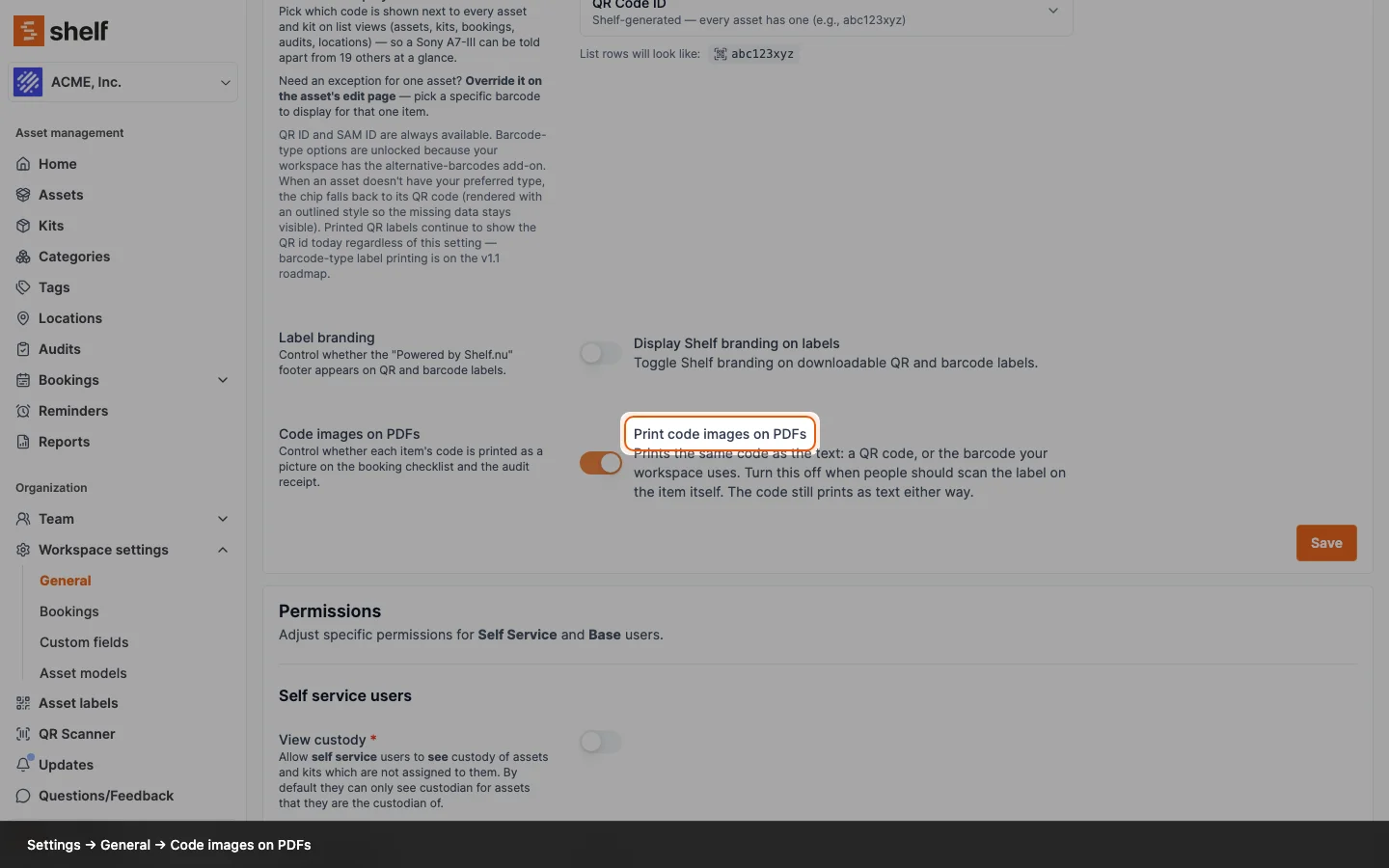
The workspace switch that turns the pictures off is renamed to match: Settings → General ▸ Code images on PDFs ▸ Print code images on PDFs. It works as before and is on by default.
Ready to organize your assets?
Join thousands of teams who trust Shelf to manage their physical assets. Free forever, or try the Team plan free for 7 days.
Out in the field? Shelf Companion is free on iPhone & Android.