

Asset Pages
Rich detail pages for every asset — photos, custom fields, location history, availability status, notes, and QR tags.
Trusted by innovative teams



































































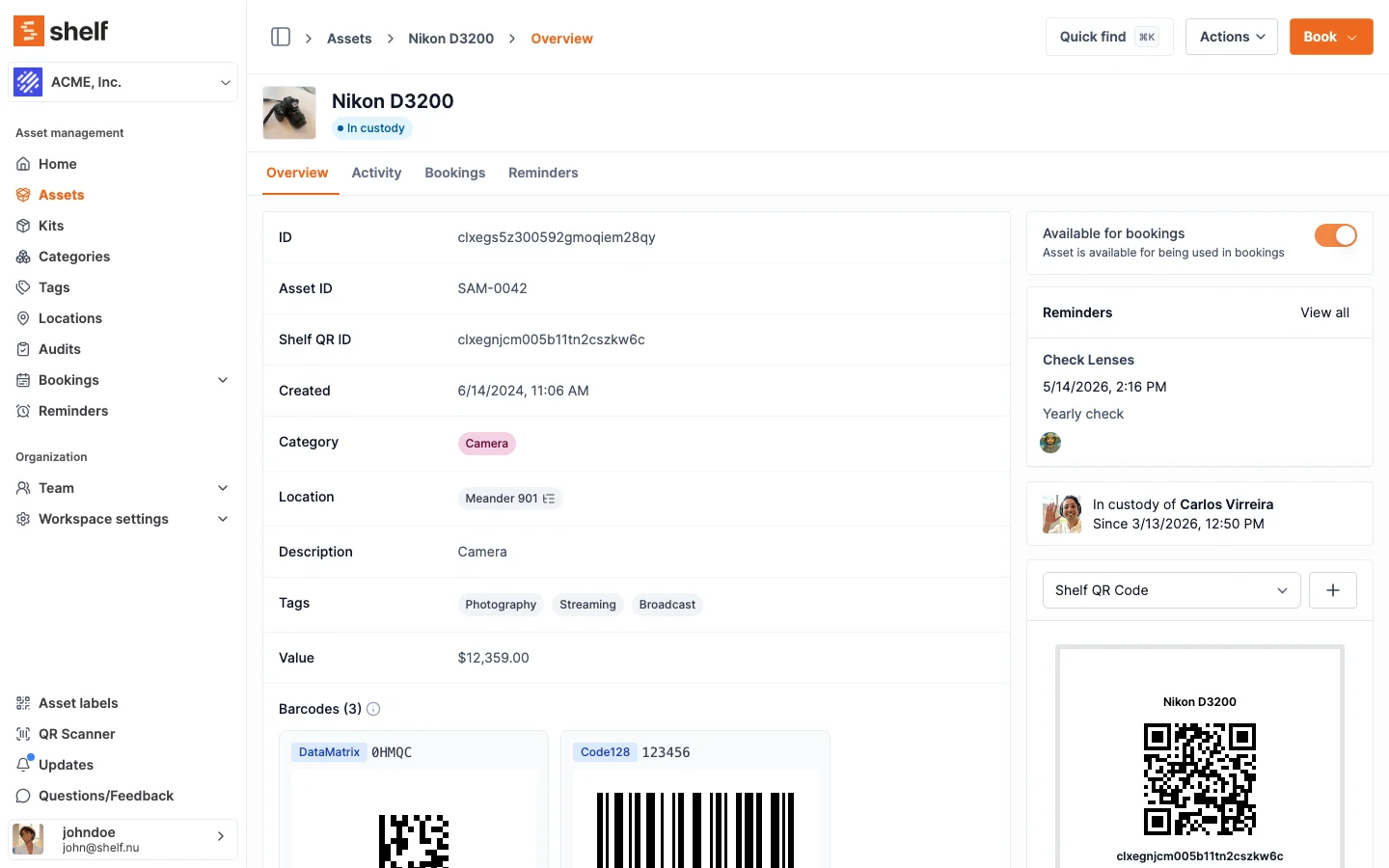
Every asset in Shelf gets its own dedicated page — a single source of truth that brings together everything you need to know about an item. Photos, custom fields, custody history, location, availability status, notes, and a printable QR label all live in one place. No more switching between spreadsheets, email threads, and shared drives to piece together asset information.
Why Asset Pages Beat Spreadsheets
Spreadsheets are where asset data goes to decay. Teams that manage equipment in spreadsheets encounter the same problems:
- Coordination issues: Multiple people editing the same file leads to overwritten data and version conflicts.
- Unreliable data: Fields go stale because updating a spreadsheet feels like a chore. No one knows if the information is current.
- No context: A spreadsheet row cannot hold a photo, a custody timeline, a location history, and a QR code. Critical context lives somewhere else — or nowhere at all.
- No access control: Everyone sees everything, or the sheet is locked down so tightly that no one can update it.
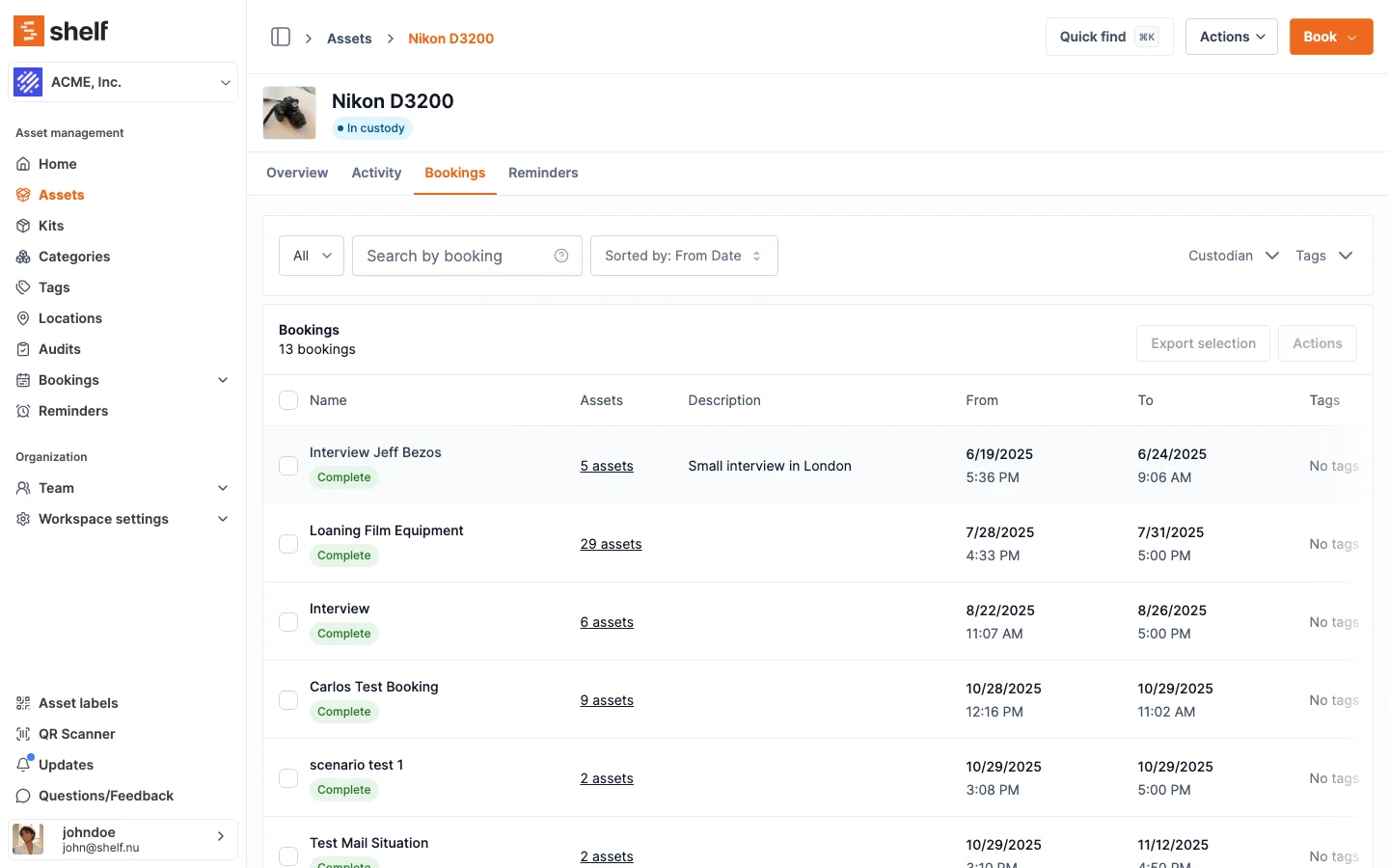
Asset pages solve these problems by giving each item a structured, always-current profile that the right people can view and update from any device.
What's on an Asset Page
Photos
Every asset carries a main photo, so people recognize the item before they read the record. Upload one per asset, or upload it once on the asset model and let a whole fleet of identical units show it without storing 40 copies of the same file. An asset's own photo always overrides the model's.
Condition evidence is captured where it happens rather than on the record: during an audit, the person scanning can attach several photos per item to document damage, wear, or a wrong label, and those stay attached to that audit.
Custom Fields
Define any fields your organization requires — purchase date, warranty expiration, condition rating, vendor, cost center, or anything else. Custom fields appear on the asset page alongside built-in fields, fully searchable and filterable.
Custody History
See the complete timeline of who has had the asset and when. Every check-out, return, and transfer is logged automatically with timestamps and user identities.
See: Custody
Location
View the asset's current location and its location history. When someone scans the QR label, the location updates automatically. Managers always know where equipment is — or where it was last seen.
See: Location Tracking
Availability Status
The asset page shows whether the item is available, checked out, reserved, or in maintenance. This status updates in real time as bookings and custody events occur. For assets you track by quantity — supplies and consumables managed by count — the page shows available versus total stock and the unit of measure, so you can see how much is on hand at a glance.
Notes and Activity
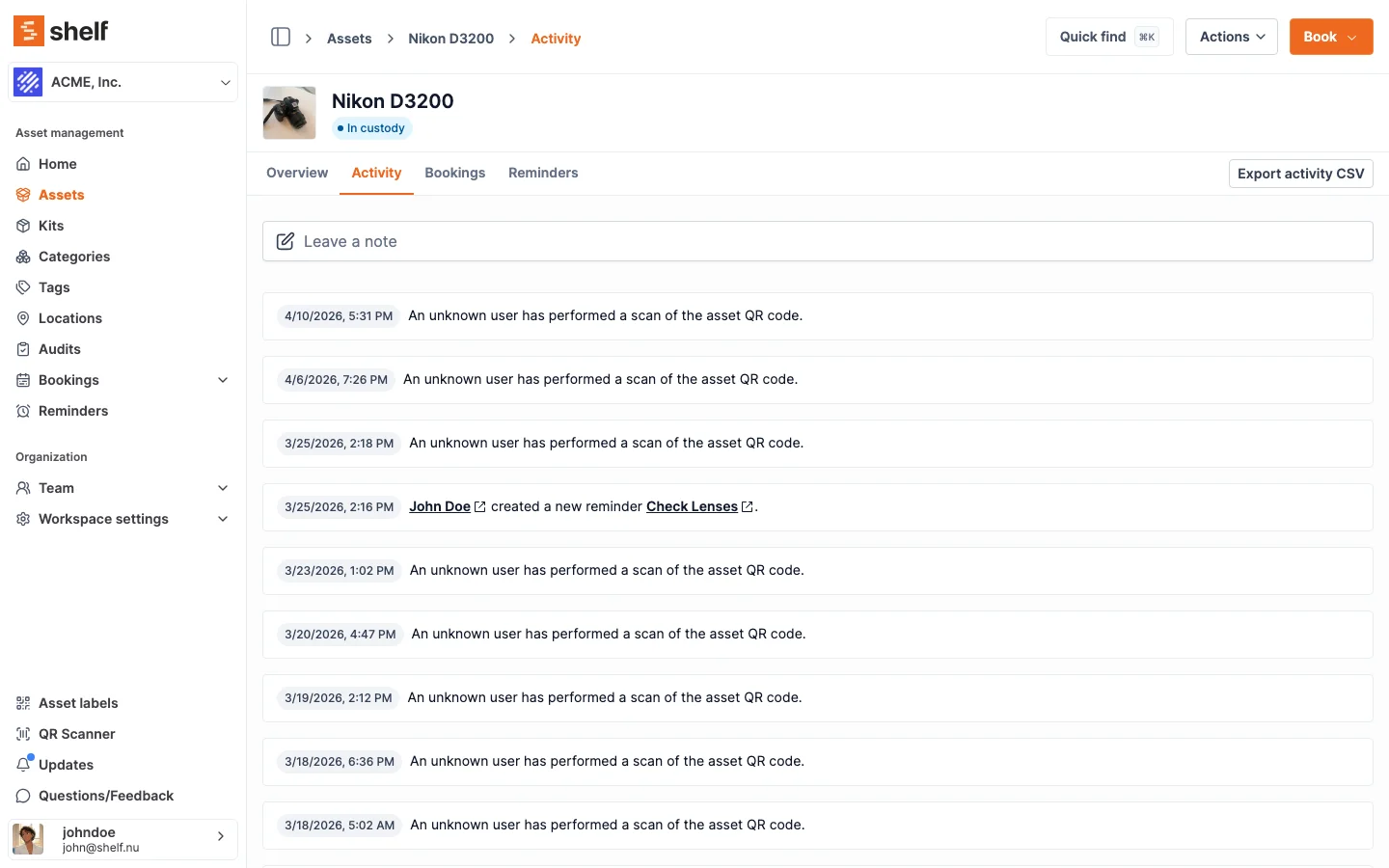
Add free-text notes to capture anything that does not fit a structured field — maintenance observations, usage tips, or special handling instructions. Notes are timestamped alongside every scan, reminder, and custody event, giving you a full activity log for each asset.
Reminders
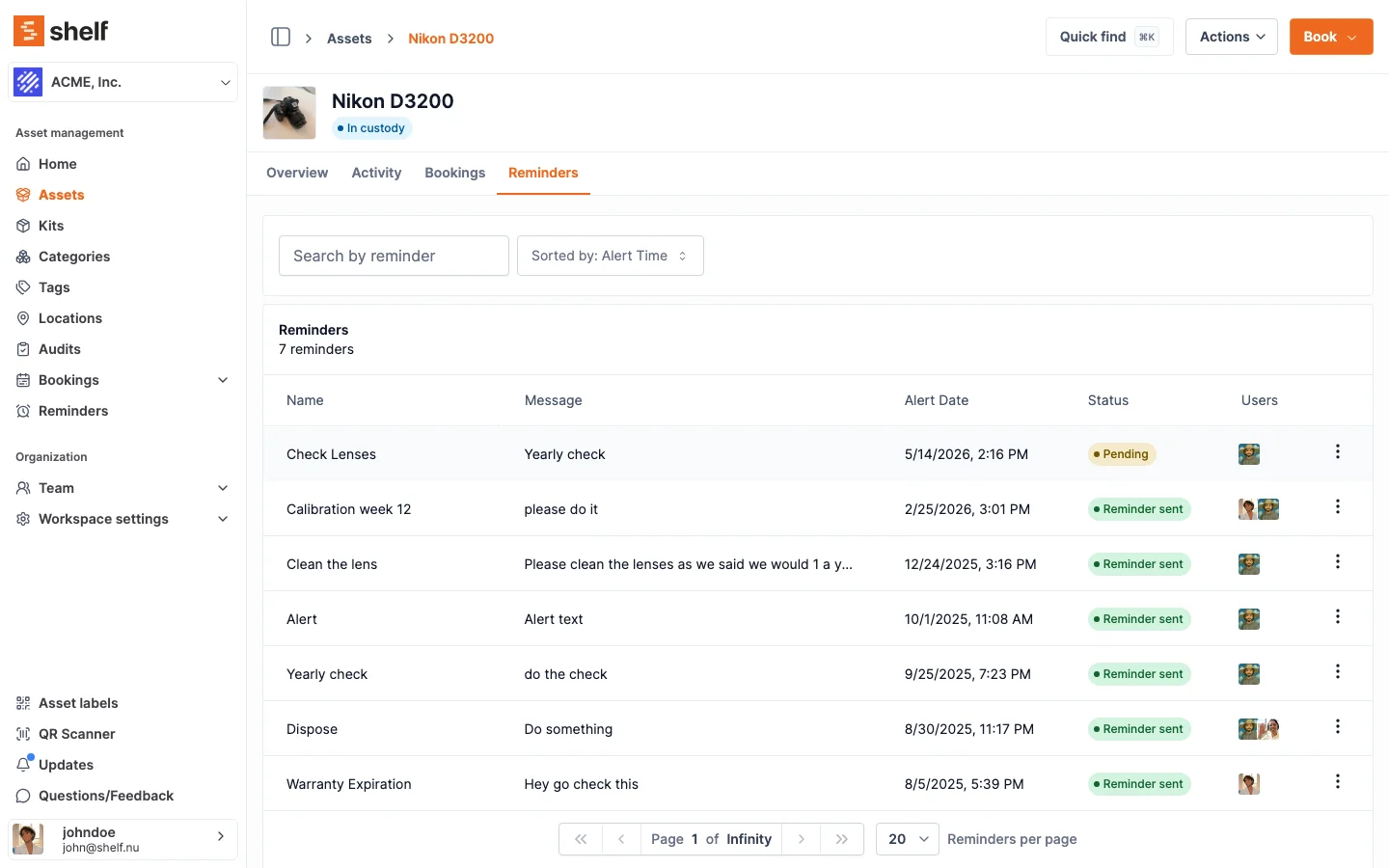
Per-asset reminders cover anything time-based — calibration, warranty, disposal, seasonal checks. Each reminder shows status at a glance (Pending / Sent) and can be assigned to one or more team members so the right people get notified when the alert fires.
See: Asset Reminders
QR Label
Every asset page includes a printable QR code that links directly to that page. Scan the label with any phone to pull up the full asset profile instantly. No app installation required.
Inline Editing
Update fields directly from the asset page — no need to open the full edit form. Hover any field, click the pencil icon, and the asset's description, category, location, value, or any custom field becomes editable in place. Validation, change history, and permissions all behave exactly as they do in the full edit form, so quick fixes don't trade off audit quality for speed.
See: Editing Asset Fields Inline
Display Modes
- Full view: Shows every field, photo, custody timeline, and note in a single scrollable page. Ideal for detailed review and asset management.
- Compact view: A condensed layout that highlights key information — name, status, custodian, and location — for quick reference in list contexts.
Common Use Cases
- Conference rooms and AV gear: Each projector, screen, and microphone has a profile with setup notes, location, and booking status.
- Vehicles: Fleet assets carry maintenance history, mileage logs, insurance details, and assignment records on a single page.
- Lab equipment: Instruments display calibration dates, safety instructions, and custody chains for compliance.
- Tools and field equipment: Condition photos, warranty information, and location history help field managers track distributed assets.
Related Features
Ready to organize your assets?
Join thousands of teams who trust Shelf to manage their physical assets. Free forever, or try the Team plan free for 7 days.
Out in the field? Shelf Companion is free on iPhone & Android.