

A Kit's New Members Reach Only That Kit's Bookings
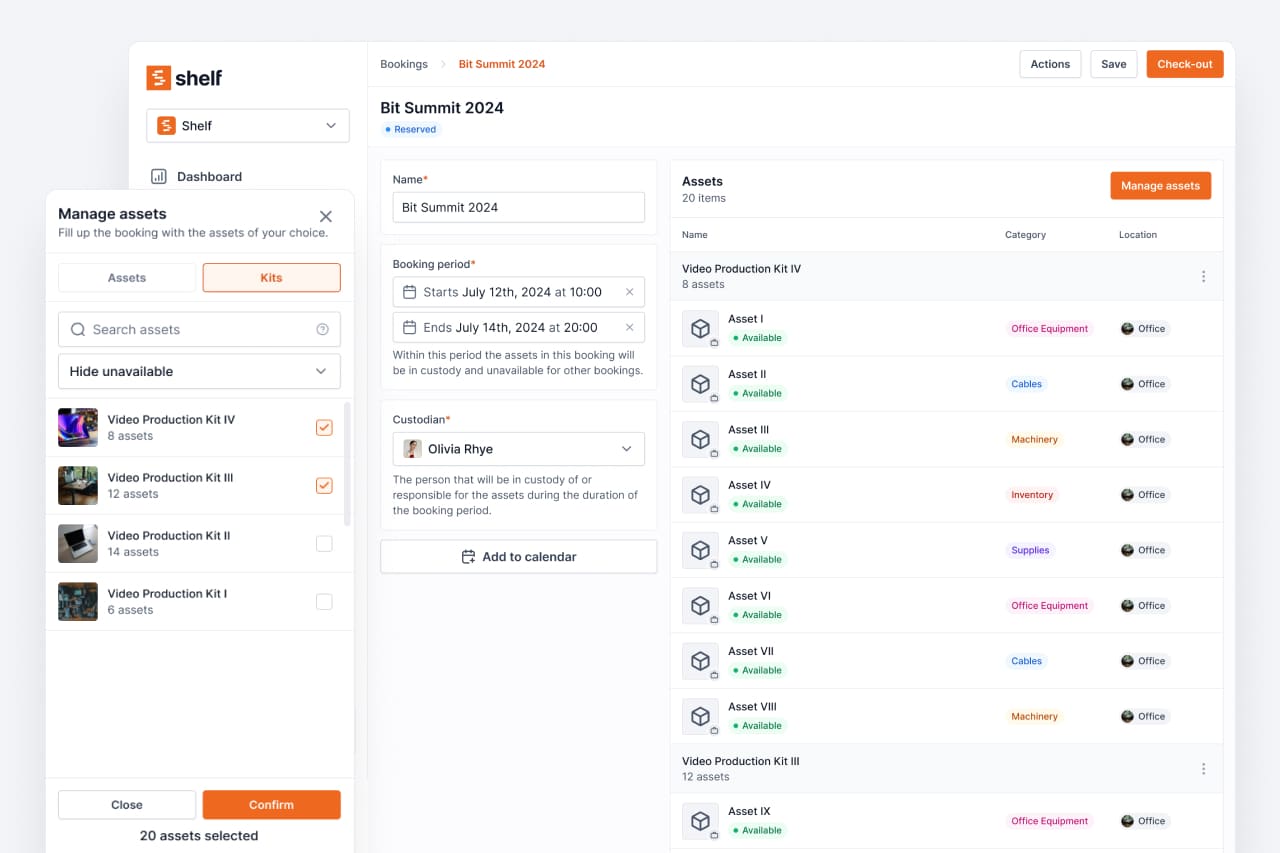
Adding an asset to a kit no longer writes it into unrelated bookings, which is what made whole kits appear on bookings nobody added them to.
When you add an asset to a kit, Shelf adds that asset to the bookings that already hold the kit, so a kit that gains a part does not leave its live bookings short of it. Working out which bookings those are went wrong when a quantity-tracked asset belonged to more than one kit, which is common for shared stock such as banners, cabling and fixings.
Shelf picked the first kit member that appeared on any booking at all and used that member's bookings for the whole kit. If that member was shared stock, its bookings could belong to a different kit. The result was wrong in both directions: the new asset was written into a booking that never contained this kit, and bookings that genuinely did hold the kit were skipped.
The visible symptom was the one customers reported. A booking would show a whole extra kit nobody had added to it, with extra items inside, and the stray asset would create a reservation conflict that quietly disabled the booking's Reserve button, with the reason only readable by hovering the disabled button.
What changed
A booking is now treated as holding a kit only when it actually carries a slice of that kit, and every such booking is updated rather than just the first one found. A booking holding a different kit that happens to contain the same shared asset is left alone.
Bookings that are Draft, Reserved, Ongoing or Overdue receive the new member, as before. Completed, archived and cancelled bookings are untouched, since they are a record of what went out.
Bookings that already picked up an asset this way keep it. The fix stops new ones from being created; it does not go back and undo the rows already written. If you have a booking showing a kit you never added, remove the stray items from the booking and any reservation conflict clears with them.
Ready to organize your assets?
Join thousands of teams who trust Shelf to manage their physical assets. Free forever, or try the Team plan free for 7 days.
Out in the field? Shelf Companion is free on iPhone & Android.