

Low-Stock Alerts Now Reach Admins, Fire Once, and Have a Filter
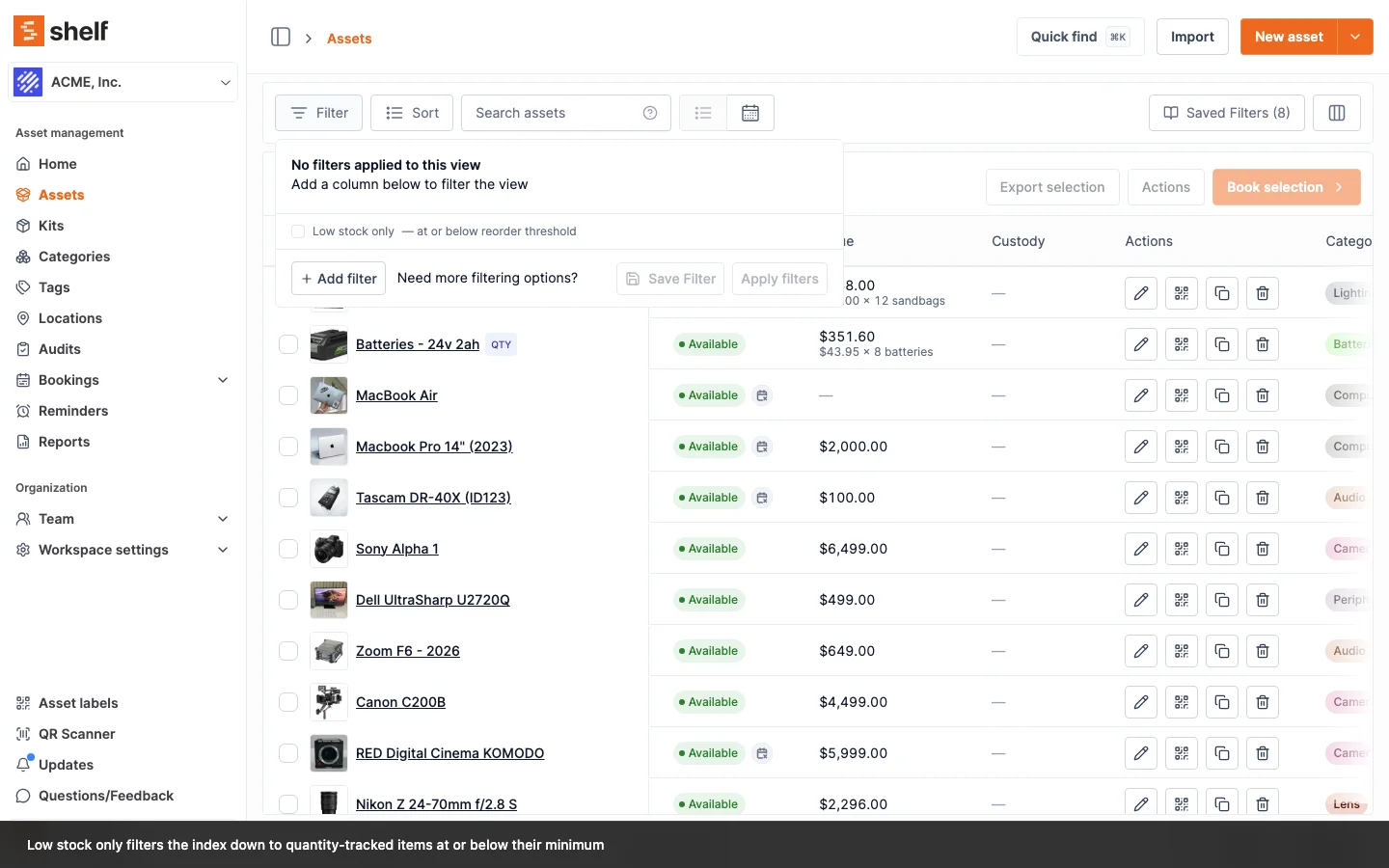
Low-stock emails go to the workspace owner and every admin, fire once per crossing instead of on every decrement, and are followed by a Back in stock notice. A Low stock only filter and a Min quantity column make the whole list visible at a glance.
Low-stock alerting on quantity-tracked assets has been completed. Four things changed.
More than one person hears about it. The email went to the workspace owner alone. It now goes to the owner and every admin, so a supplies run does not wait on one inbox.
One email per crossing, not per decrement. Shelf now remembers that an item is already flagged and stays quiet until it recovers, instead of re-alerting on every unit taken out. Drawing a pool down over a week no longer produces a week of email. When stock rises back above the threshold, the same people get a Back in stock notice.
Every path that lowers stock is covered. Booking check-ins and quantity edits on the asset form now trigger the check alongside quick adjustments and custody assignments, so an item cannot slip below its minimum unannounced.
You can see the whole list, not one item at a time. In the advanced asset index, Filter now offers Low stock only (at or below reorder threshold), and Min quantity is available as a column next to Quantity. Bulk actions respect the filter, so you can select everything that is low and act on it in one go.
Alongside this, quantity and min-quantity changes now write their own entries to an asset's Activity tab with the previous and new value, so the stock history explains itself no matter which screen the change came from.
Ready to organize your assets?
Join thousands of teams who trust Shelf to manage their physical assets. Free forever, or try the Team plan free for 7 days.
Out in the field? Shelf Companion is free on iPhone & Android.