

Group a Fleet Into an Asset Model From the Asset Index
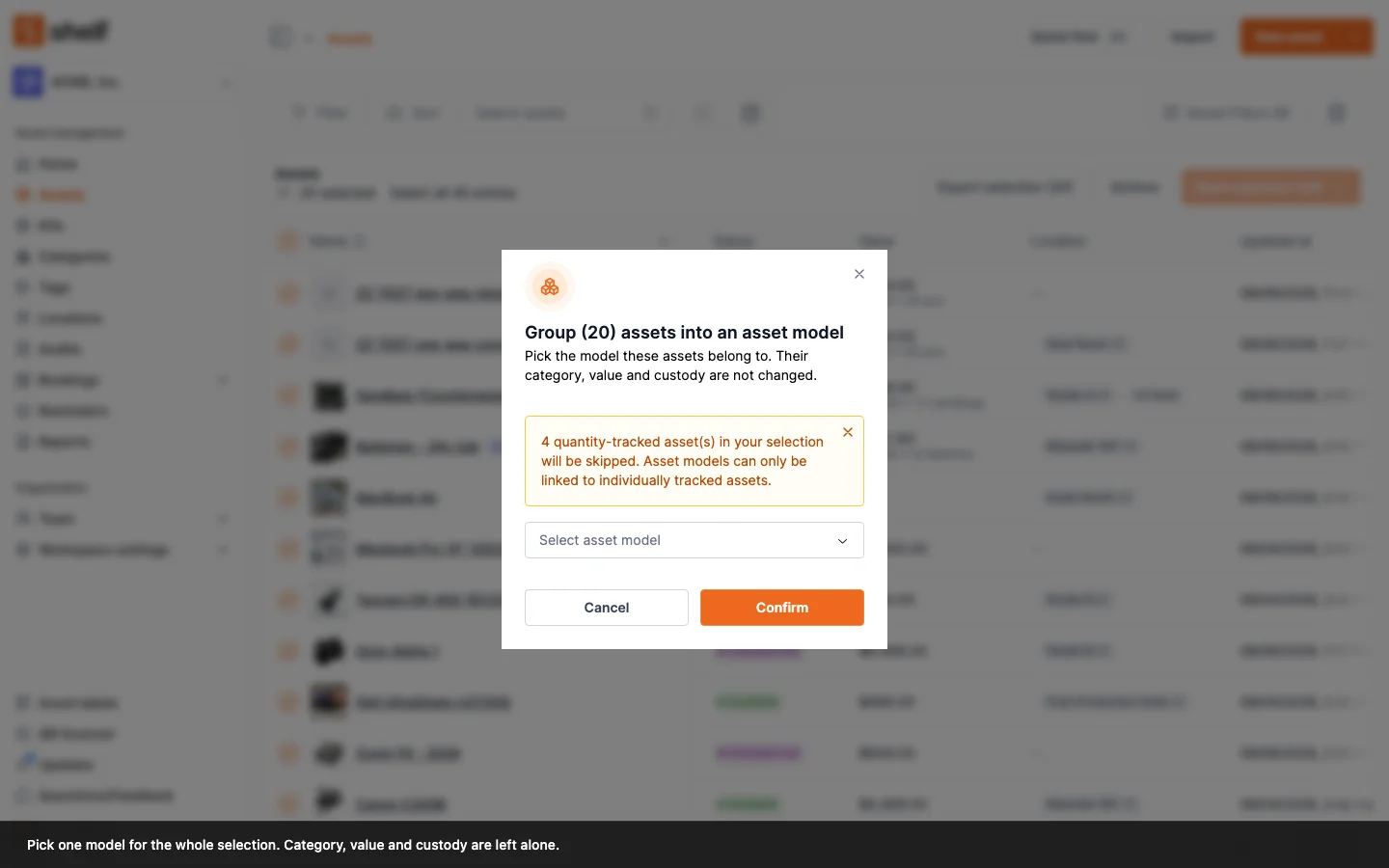
Two new items in the asset index Actions menu: Update asset model groups every selected asset into one model, and Remove from asset model ungroups them. No more editing assets one at a time or re-importing a CSV.
Putting a fleet you already own under an Asset Model used to mean opening each asset's edit form one at a time, or re-importing a CSV. The asset index Actions menu now does it for the whole selection, with two items directly under Update category:
- Update asset model links every eligible selected asset to one model. The picker lists your existing models and has a Create new asset model option, so you can name a new fleet and assign it in the same step.
- Remove from asset model takes the selection out of whatever model each asset is on.
Only the model link changes. Category, value, and custody are left alone. A model's default category and valuation are create-time conveniences, so they are not applied backwards over records you have already curated.
A mixed selection is normal, so it is handled rather than refused. Asset models group individually tracked units only. If your selection includes quantity-tracked assets, the dialog warns you before you confirm, the individually tracked assets are still grouped, and the result tells you how many were skipped.
The counts are specific on purpose. You are told how many were grouped, and separately how many moved off a different model, since that is the only signal that the other model's book-by-model pool just got smaller. A cross-page Select all resolves against your filters on the server, so the dialog title states the real batch size rather than the number of rows on screen. If nothing ends up changing, Shelf says No assets updated and gives the reason instead of reporting a success that did nothing.
The Bulk Updating Assets via CSV route still exists and is the better tool when the model rides along with other field changes in one pass.
Ready to organize your assets?
Join thousands of teams who trust Shelf to manage their physical assets. Free forever, or try the Team plan free for 7 days.
Out in the field? Shelf Companion is free on iPhone & Android.